Selene



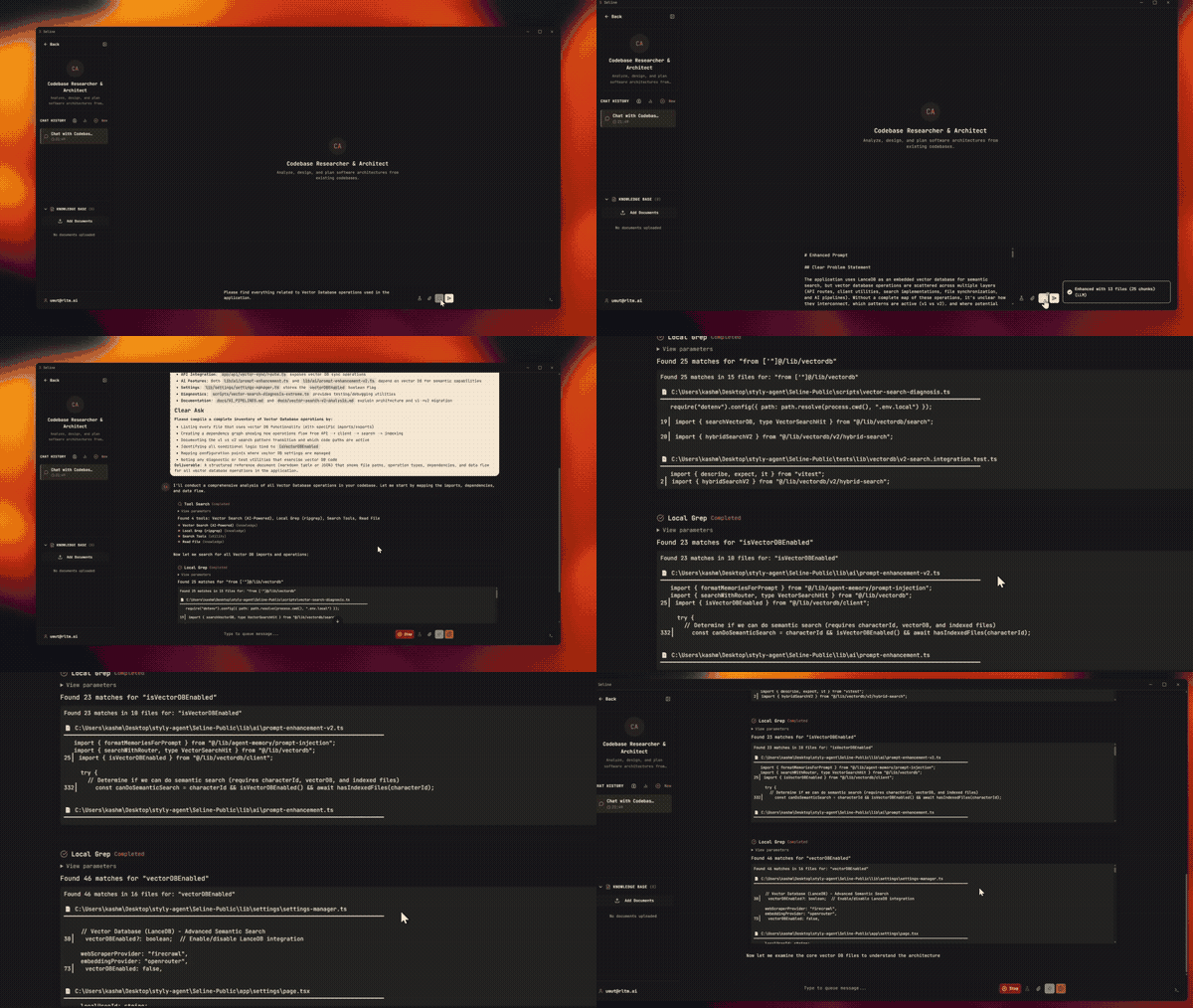
Selene is a desktop app that runs AI agents on your machine. Connect them to your WhatsApp, Telegram, Slack, or Discord. Write code, generate images, build personal assistants. All from one place. Your data stays on your device.

Integrates with












Agent-First, Not Button-First
Most AI apps work like this: you click a button, the AI responds. Selene flips that.
In Selene, your agent can do everything you can do, and the app follows along. When you ask your agent to "create a PR for this feature," it creates a workspace, copies the branch, writes the code, pushes, and opens the pull request. The UI automatically switches to show the git workspace as the agent works. You watch it happen, or step in whenever you want.
Every action the agent takes has a manual button too. You can create worktrees, stage files, push branches, and open PRs yourself. Same UI, same result. The difference is you don't have to. The app is built so the agent can operate it end-to-end, and you choose how much you want to steer.
This is how Selene develops itself. The app has been building its own codebase for weeks, running multi-hour sessions, managing parallel workspaces, creating its own PRs. 99% of the code you're reading was written by Selene agents.
Why We Built It
AI agents are powerful but expensive. Most of that cost is context. Every turn, the model re-reads your files, conversation history, and tool definitions all over again.
Selene uses two agents instead of one. Your main agent handles the conversation. A smaller utility agent works in the background: it searches your files, finds what's relevant, and hands it over. The main agent never digs through thousands of files. It asks, gets the answer, and moves on.
What this means for you:
- Drop in any folder and Selene indexes it. Codebases, research papers, documents. Ask a question and get answers from your actual files, in seconds.
- Your prompts get better automatically. Before your message reaches the model, Selene adds the relevant context: code snippets, file references, your preferences. You type a simple question, the model sees the full picture.
- Lower costs. Tools load only when needed. The utility agent runs on a cheaper model. Your main agent's context stays clean.
Modes
Selene Dev
Everything you need to write and ship code, built into one place.
- Git, diffs, and PRs. See exactly what changed, stage files, create branches and worktrees, open pull requests. All from the UI or let the agent handle it.
- Built-in browser. Your agent opens your app in Chromium, clicks through pages, reads console logs, and catches issues. You can watch live or replay the session later.
- Output protection. When a build log or test output runs long, a bundled Rust tool trims it before it reaches the model. No more blown context from a noisy terminal.
- Automatic checks. Set up type-checking or linting to run after every code edit. Customize what happens before and after any agent action through hooks.
Selene Fun
Personal AI companions with personality.
- 3D avatar. Your agent gets a face. It lip-syncs when it speaks, and its expressions react to the conversation when emotion detection is on.
- Voice cloning. Make your agent sound how you want.
- Scheduled assistants. Create a tutor that sends quizzes to your Telegram every morning. Or a daily briefing that summarizes your tasks. Set the schedule, pick the channel, and it just runs.
- Agents that learn. Selene watches your conversations and suggests things to remember. You approve or reject from the memory page. Over time, the agent just knows your preferences.
Selene Work (coming soon)
Team agents for company workflows.
Channels
Connect your agent to your apps. Not through webhooks, as a native integration.
| Channel | Setup | What works |
|---|---|---|
| Scan a QR code | Messages, voice notes, attachments | |
| Telegram | Paste a bot token | Messages, voice bubbles, interactive buttons |
| Slack | Socket Mode | Messages, files, native UI elements, threads |
| Discord | Paste a bot token | Messages, threads, buttons, attachments |
Voice notes from WhatsApp and Telegram are automatically transcribed. When the agent replies with audio, Telegram users hear a native voice bubble. When the agent needs to ask a clarifying question, each app shows it in its own style: buttons, menus, or inline prompts.
Pair channels with the scheduler: set a task to run daily at 9am and have results delivered to your Telegram or Slack automatically.
Voice & Avatar
Talk to your agent. Choose from cloud or local speech-to-text, including a local option that supports 32 languages with no API key.
Hear your agent. Three text-to-speech providers, including a free one that's always available. Clone a voice to make it unique. Long responses get summarized before speaking so you get the gist, not a monologue.
See your agent. Turn on the 3D avatar and your agent speaks with a moving face. Enable emotion detection (off by default) and it reacts: smiles, looks thoughtful, shows surprise.
Quick voice actions. After you speak, run one-click actions: fix grammar, rewrite professionally, summarize, or translate.
Creative Tools
Images. Generate locally or through cloud providers. Pass in reference images for style matching, virtual try-on, or blending. Import custom image generation workflows and they become agent tools automatically.
Video. Turn session images into assembled videos with transitions, motion effects, and text overlays. AI plans the sequence, you get a rendered MP4.
Deep Research. Give the agent a question and it searches the web, reads sources, writes up findings with citations, and refines through multiple passes.
Memory
Your agents get better over time.
After conversations, Selene suggests memories like "user prefers TypeScript strict mode" or "always use pnpm." These show up on the memory page where you approve, edit, or remove them. Approved memories carry into every future conversation.
You can also just tell your agent: "remember that we deploy to Vercel," and it saves immediately.
Scheduler
Set tasks that run on their own: daily standups, weekly digests, code reviews, learning quizzes.
- Flexible timing. Cron, intervals, or one-time. Full timezone support.
- Deliver anywhere. Results go to WhatsApp, Telegram, Slack, Discord, or stay in the chat.
- Ready-made templates. Daily standup, weekly digest, code review, and more. Or create your own.
Extend It
Skills. Reusable instructions your agent can follow. 37+ ship out of the box: deployment, dev tools, productivity, creative tasks. Create your own from the UI.
Plugins. Bundle multiple skills and tools together. Install from GitHub or a URL.
MCP. Connect external services as agent tools. Your Slack bot can query a database, create tickets, and respond in-thread, all through tools the agent picks up automatically.
Hooks. Run custom logic before or after any agent action. Auto-typecheck after every edit, lint before every commit, or anything else you set up.
Customization
- 8 color themes. Ember, Midnight, Forest, Monochrome, Ocean, Lavender, Rose, Aurora. Light and dark modes.
- 50 wallpapers. 20 live video backgrounds and 30 static options. Set different ones for the homepage and chat.
- Rich text editor. Write prompts with formatting, headings, code blocks. More like writing a document than typing into a box.
Providers
Use any combination, or go fully local with no API keys.
| Provider | Models |
|---|---|
| Anthropic | Claude with prompt caching |
| OpenAI | GPT-5, Codex, 60+ variants |
| OpenRouter | Claude, Gemini, Grok, DeepSeek, and more |
| Ollama | Any local model |
| Kimi / Moonshot | 256K context, vision |
| Minimax | 3 variants |
| Antigravity | Free tier via Google OAuth |
Every part of Selene (chat, embeddings, voice, images) lets you choose between local and cloud. Run everything offline or use APIs. Mix and match.
Download
macOS. Signed DMG, drag to Applications. Windows. Signed installer or portable build.
One download, no prerequisites. Selene bundles everything: runtime, local model support, browser engine, platform tools. The app is larger than usual because it ships what other tools make you install separately.
For Developers
Setup
npm install
npm run electron:dev
Build
# Windows
npm run electron:dist:win

# macOS
npm run electron:dist:mac
Runtime Secrets
Set in .env:
INTERNAL_API_SECRET: internal API authREMOTION_MEDIA_TOKEN: media URL token
Troubleshooting
- Native module errors:
npm run electron:rebuild-native - Embeddings mismatch: reindex from Settings
- MCP ENOENT: reinstall from latest DMG/installer
Docs
docs/ARCHITECTURE.md: system layoutdocs/AI_PIPELINES.md: LLM and tool pipelinesdocs/DEVELOPMENT.md: dev setup and builddocs/API.md: internal API reference
Thanks
Built on open-source. See THANKS.md.