
Spec Oxide
Spec-driven development for humans and AI - optimized for Claude Code with built-in MCP
Spec Oxide is a comprehensive workflow and toolset that enables spec-driven development for AI-assisted coding. You agree on what to build before any code is written.
What do you get?
📋 Spec Driven Workflow with three simple commands
Core principle: Specs are the source of truth. Changes are proposals that modify that truth.
/spox:propose- Propose a change and lock your intent/spox:implement- Implement the defined task list with comprehensive verification/spox:archive- Keep the accepted specs in sync by merging the change proposal
🔌 Built-in MCP: agents understand specs and changes
Spec Oxide ships with a built-in MCP server that enables agents to list and search specs.
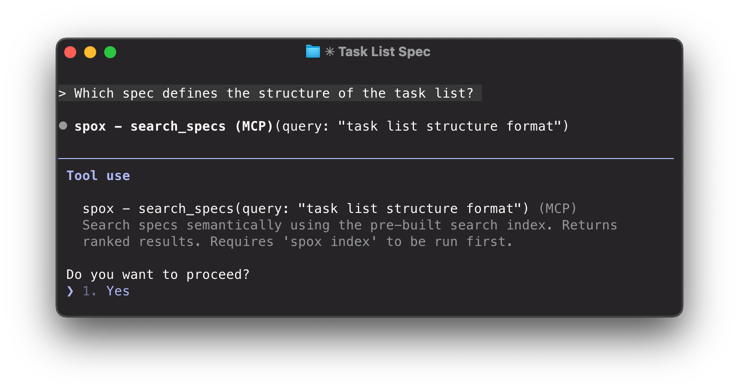
The built-in MCP server is designed to optimize the context window and minimize token waste.
🦺 Rules and best-practices preloaded in your context
Spec Oxide maintains an up-to-date CLAUDE.md file that includes:
- Proven coding standards for backend, frontend, testing and verification
- Enforcement of test-driven development and clean code practices
- Instructions on how to use the built-in MCP server
- Pre-configured flows for Serena MCP and Context7
📺 Track Specifications and Changes with a simple CLI
Spec Oxide ships with a simple CLI that helps you manage specs and track changes:
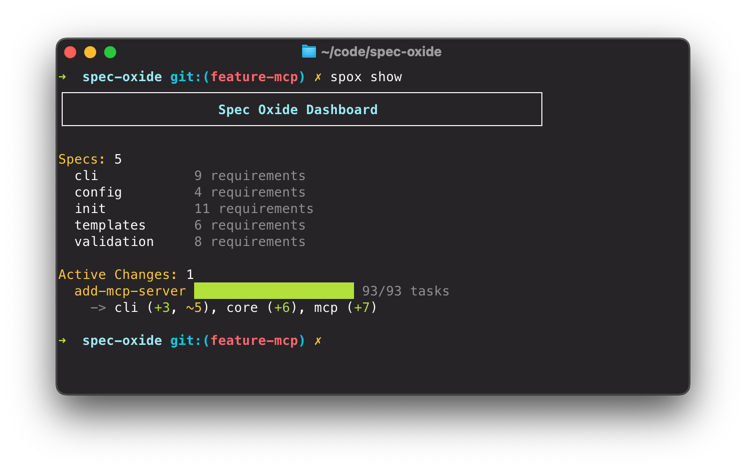
Get started in minutes—no extra API keys required
For setup and update instructions read the Setup Guide. Setup takes just a couple of minutes. Besides Claude Code, there are no additional API keys required.
# Setup
cargo install spec-oxide

# Initialize a new project
spox init

# Run the setup script to configure MCP servers (Serena, Context7)
.spox/setup.sh

# Run Claude Code
claude

# Get started with /spox:setup
Next steps
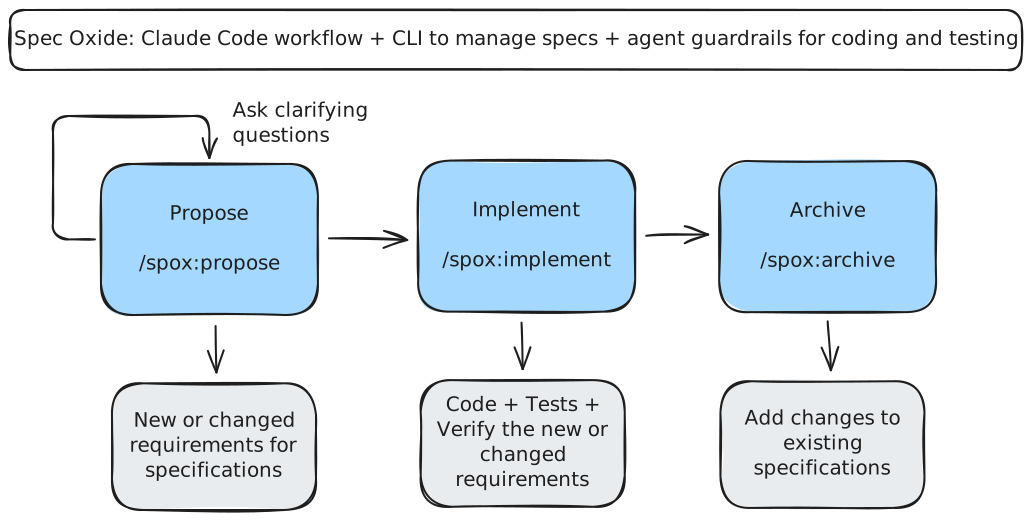
- Read the workflow — Understand Propose → Implement → Archive
- Edit your mission — Run
/spox:setupand define yourspecs/mission.mdfor your project - Create your first proposal — Run
/spox:proposewith a real task - Implement your first proposal — Run
/spox:implementand start shipping
Ready to dive deeper? See the full User Guide.
Acknowledgements
- buildermethods/agent-os - CC Spec-Driven inspiration
- maxritter/claude-codepro - CC Spec-Driven inspiration
- oraios/serena - MCP for code comprehension
- context7/context7 - MCP for up-to-date docs for external libraries
Built with ❤️ and Rust!
License
See LICENSE file.