
stats-compass-mcp
Turn your LLM into a data analyst. 50+ pandas tools via MCP.



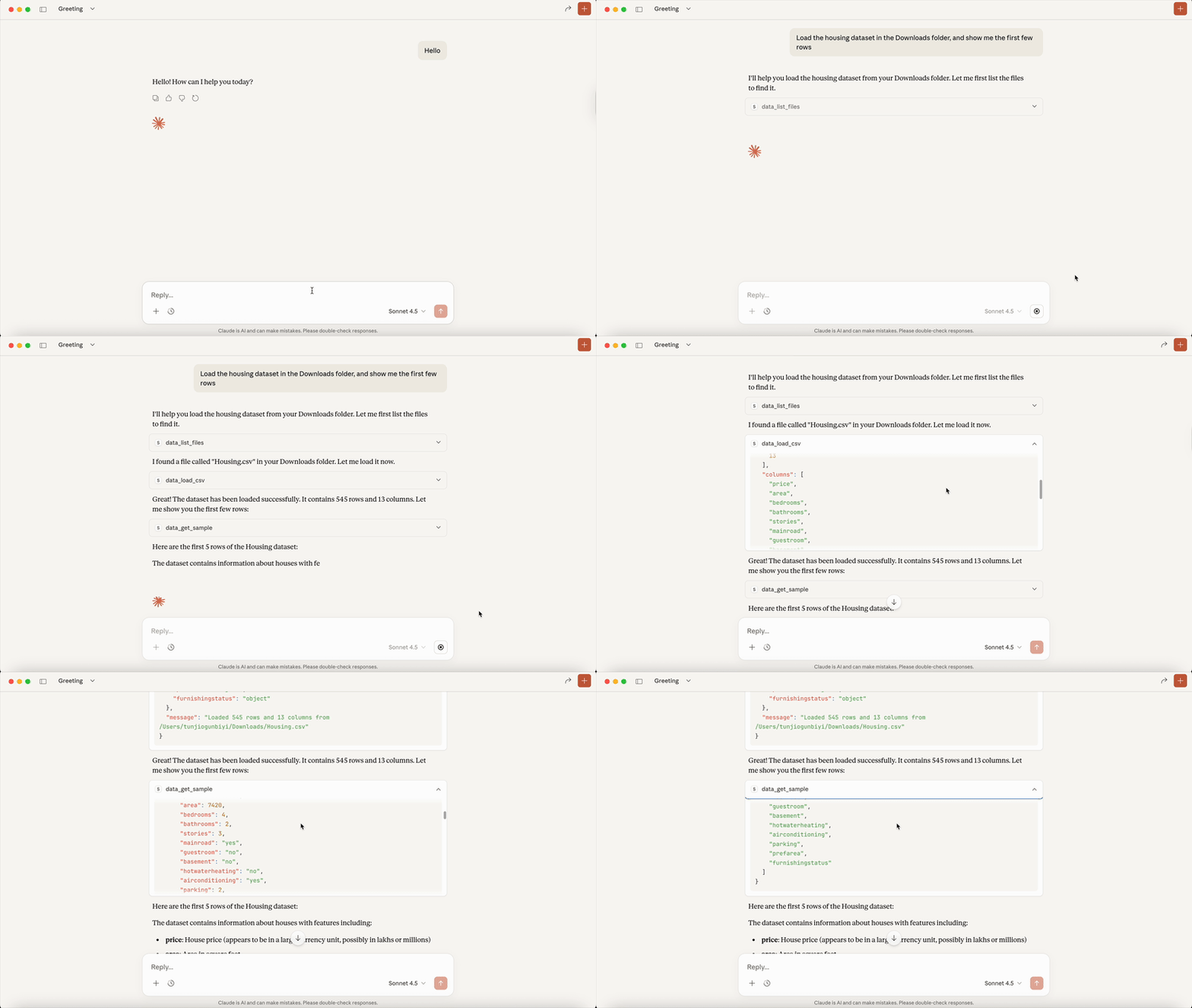
Quick Start
pip install stats-compass-mcp
Claude Desktop
stats-compass-mcp install --client claude
VS Code (GitHub Copilot)
stats-compass-mcp install --client vscode
Claude Code (CLI)
claude mcp add stats-compass -- uvx stats-compass-mcp run
Restart your client and start asking questions about your data.
What Can It Do?
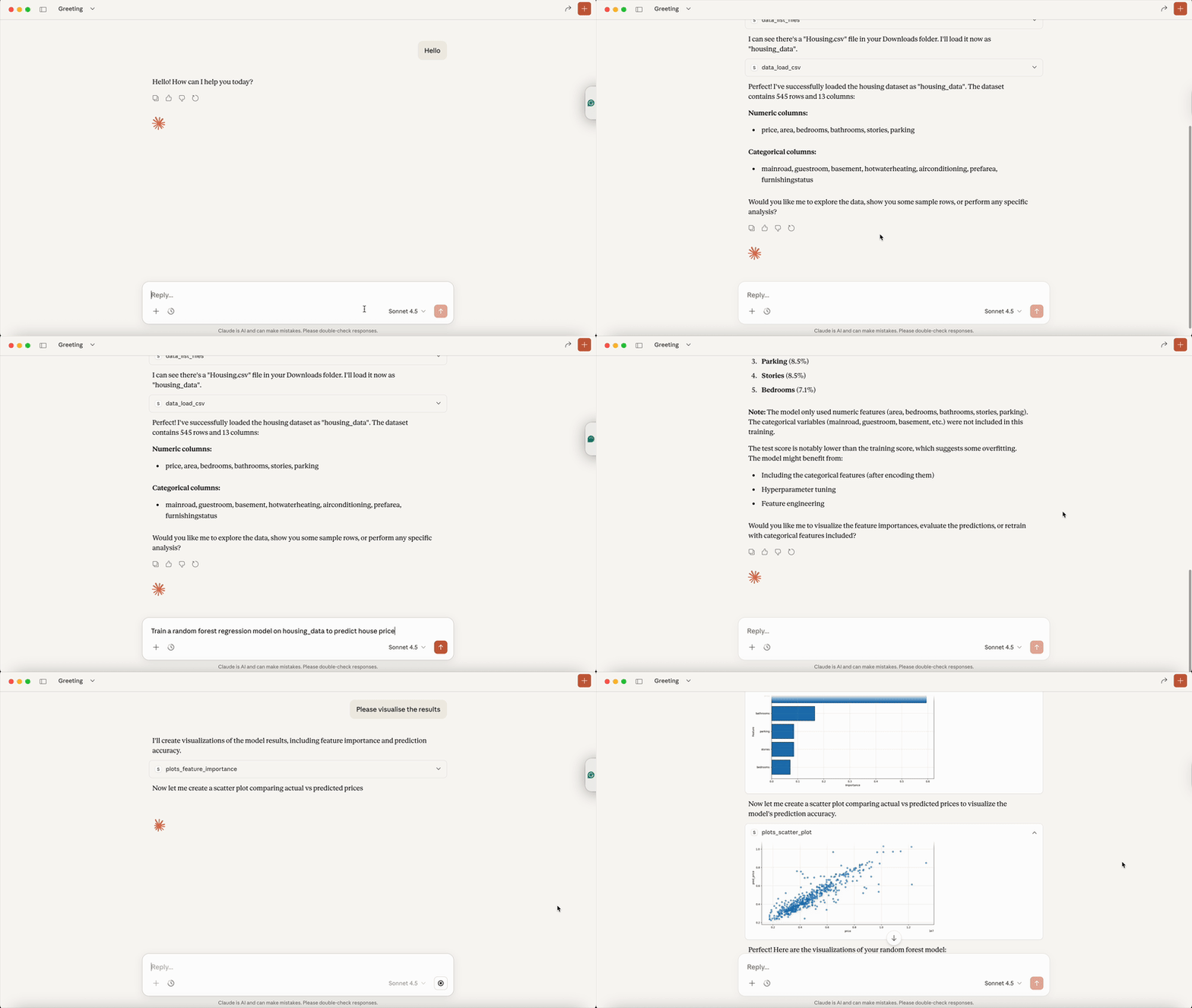
| Category | Examples |
|---|---|
| Data Loading | Load CSV/Excel, sample datasets, list DataFrames |
| Cleaning | Drop nulls, impute, dedupe, handle outliers |
| Transforms | Filter, groupby, pivot, encode, add columns |
| EDA | Describe, correlations, hypothesis tests, data quality |
| Visualization | Histograms, scatter, bar, ROC curves, confusion matrix |
| ML Workflows | Classification, regression, time series forecasting |
Run stats-compass-mcp list-tools to see all available tools.
Loading Files
Local mode: Provide the absolute file path.
You: Load the CSV at /Users/me/Downloads/sales.csv
Remote/HTTP mode: Use the upload feature (see below).
Remote Server Mode
For Docker deployments or multi-client setups:
stats-compass-mcp serve --port 8000
File Uploads
When running remotely, users can upload files via browser:
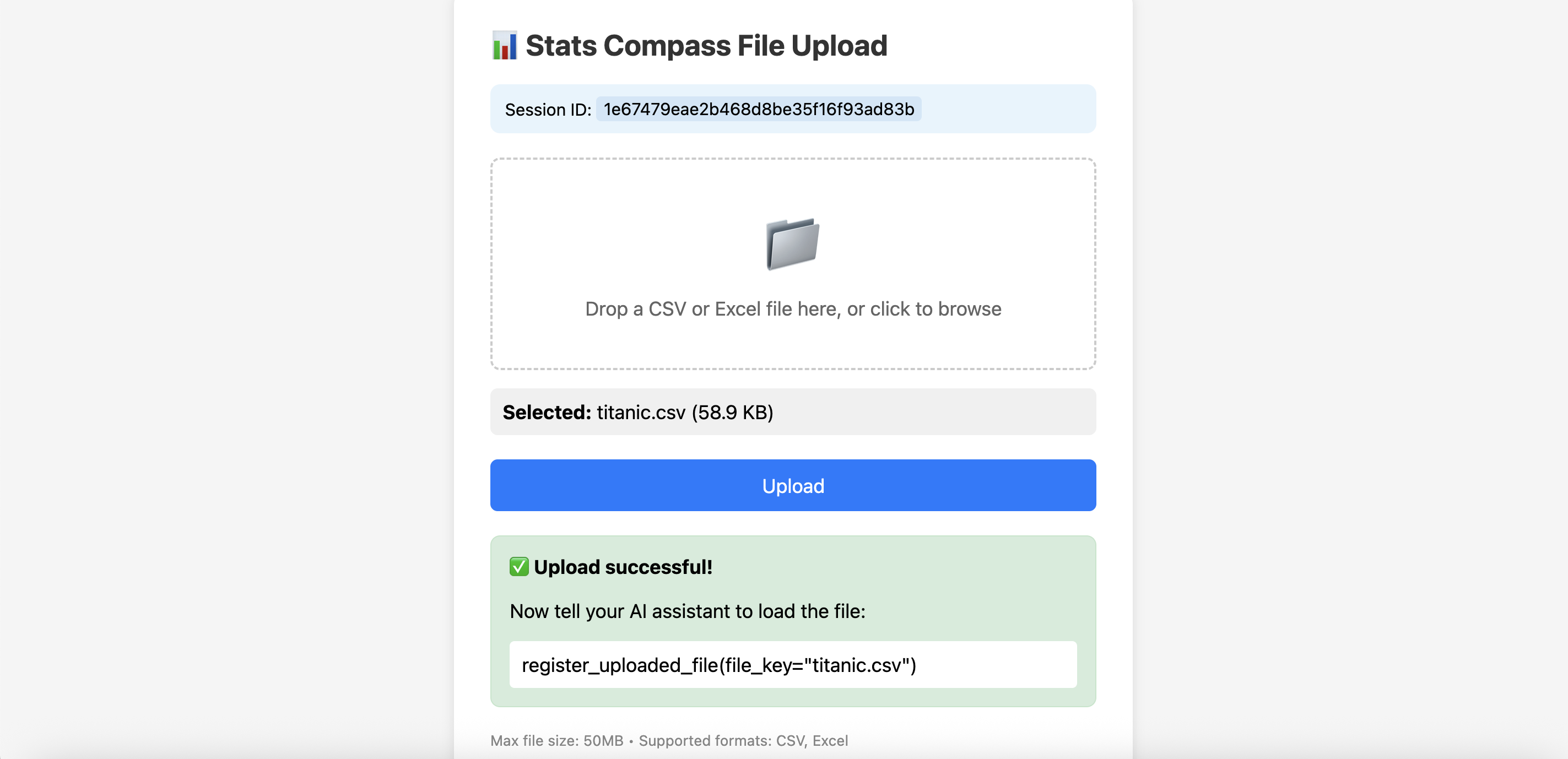
You: I want to upload a file
AI: Open this link to upload: http://localhost:8000/upload?session_id=abc123

[Upload in browser]

You: I uploaded sales.csv
AI: ✅ Loaded sales.csv (1,000 rows × 8 columns)
Downloading Results
Export DataFrames, plots, and trained models:
You: Save the cleaned data as a CSV
AI: ✅ Saved. Download: http://localhost:8000/exports/.../cleaned_data.csv
Connect Clients to Remote Server
VS Code (native HTTP support):
{
  "servers": {
    "stats-compass": { "url": "http://localhost:8000/mcp" }
  }
}
Claude Desktop (via mcp-proxy):
{
  "mcpServers": {
    "stats-compass": {
      "command": "uvx",
      "args": ["mcp-proxy", "--transport", "streamablehttp", "http://localhost:8000/mcp"]
    }
  }
}
Docker
docker run -p 8000:8000 -e STATS_COMPASS_SERVER_URL=https://your-domain.com stats-compass-mcp
Client Compatibility
| Client | Status |
|---|---|
| Claude Desktop | ✅ Recommended |
| VS Code Copilot | ✅ Supported |
| Claude Code CLI | ✅ Supported |
| Cursor | ⚠️ Experimental |
| GPT / Gemini | ⚠️ Partial |
Configuration
| Variable | Default | Description |
|---|---|---|
STATS_COMPASS_PORT | 8000 | Server port |
STATS_COMPASS_SERVER_URL | http://localhost:8000 | Base URL for upload/download links |
STATS_COMPASS_MAX_UPLOAD_MB | 50 | Max upload size |
Development
See CONTRIBUTING.md for development setup.
🙏 Credits
Landing page template by ArtleSa (u/ArtleSa)
License
MIT