Taskboard
A local, self-hosted project management tool with a Kanban UI, full CLI, and a built-in MCP server that lets AI assistants manage your projects, tickets, and teams directly.
Single binary. SQLite-backed. No Docker, no external database, no runtime dependencies.
Screenshots
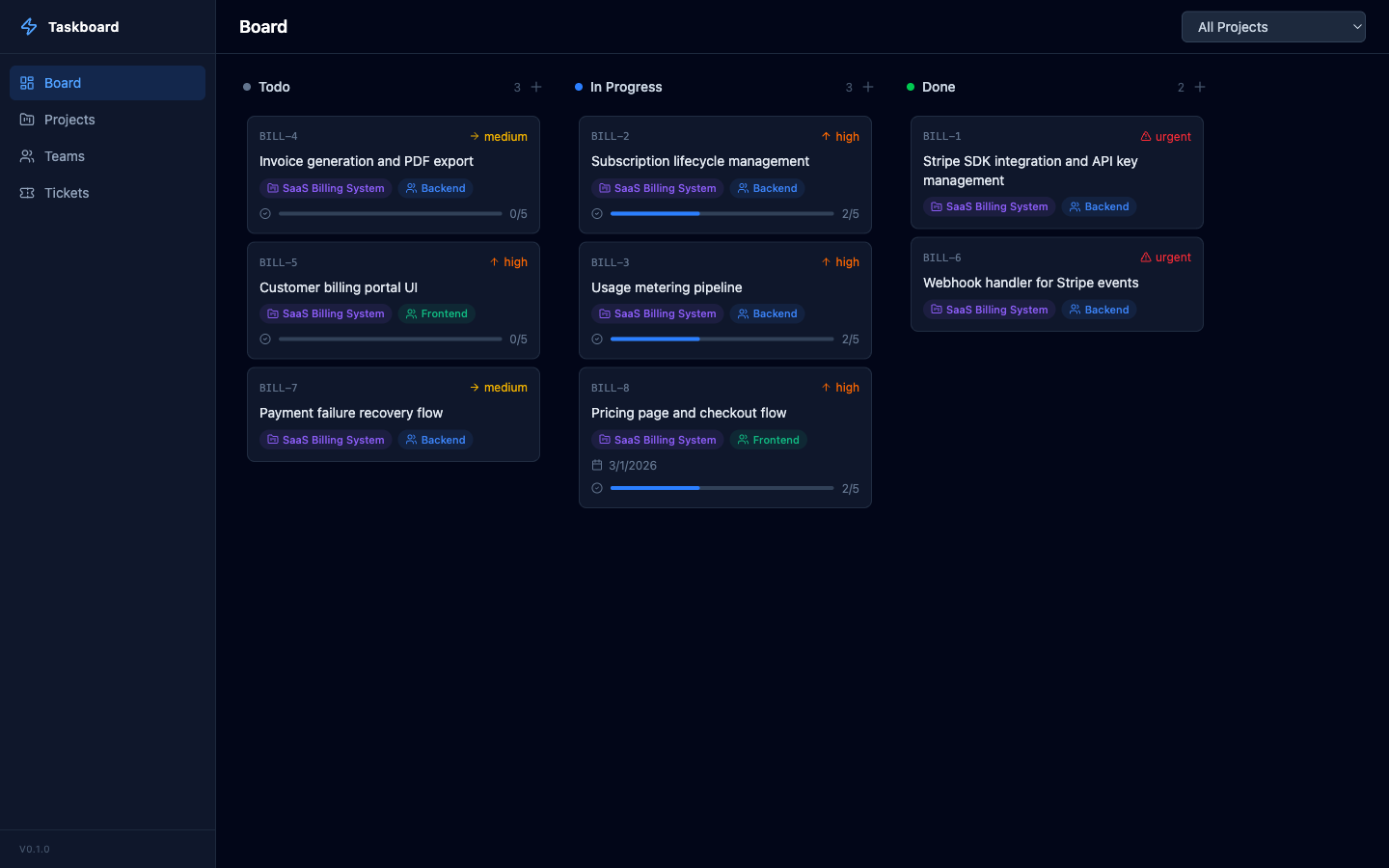
Features
- Kanban Board — drag-and-drop ticket management across Todo, In Progress, and Done columns
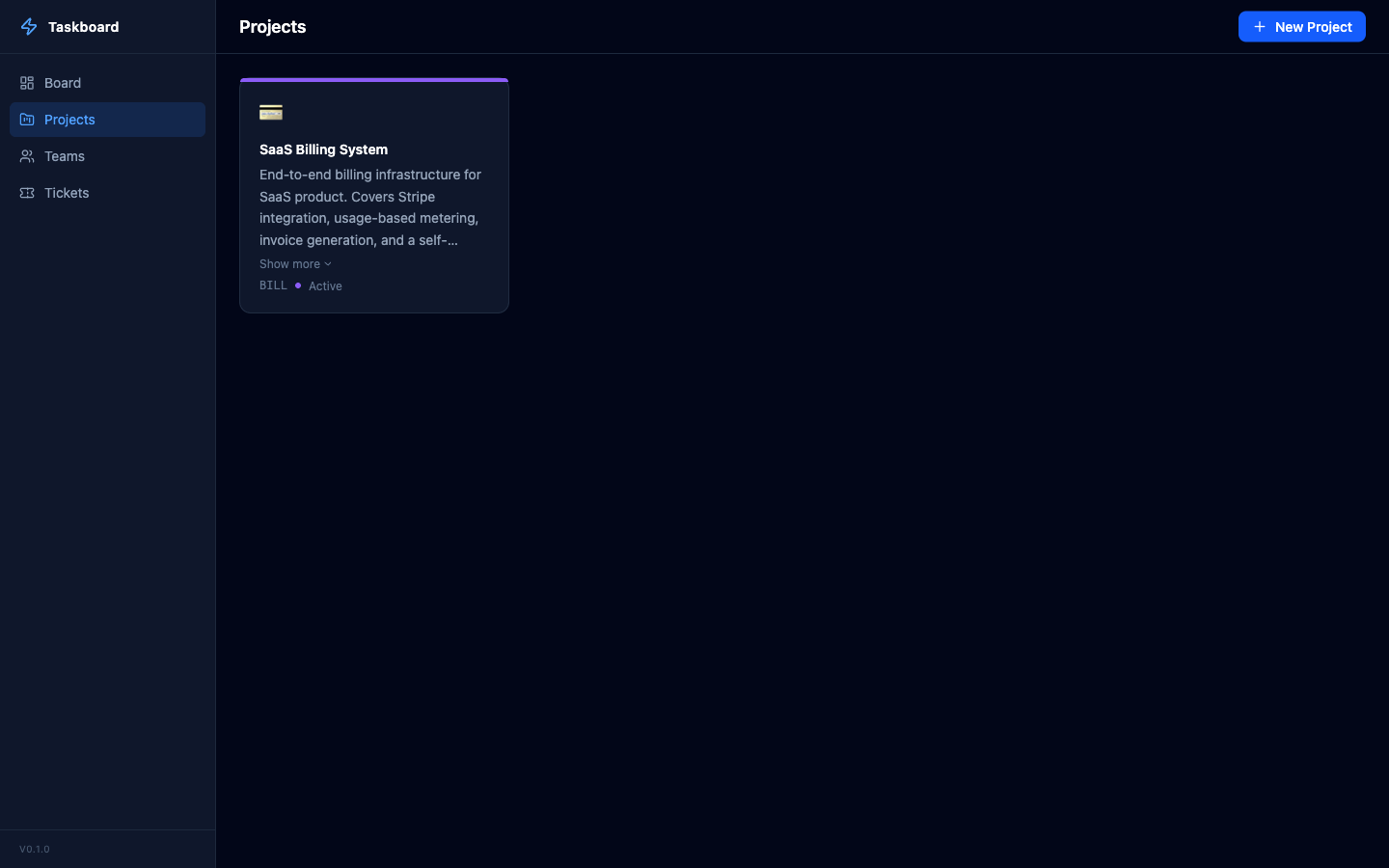
- Projects — organize work with customizable projects (icons, colors, prefixes)
- Teams — assign tickets to teams
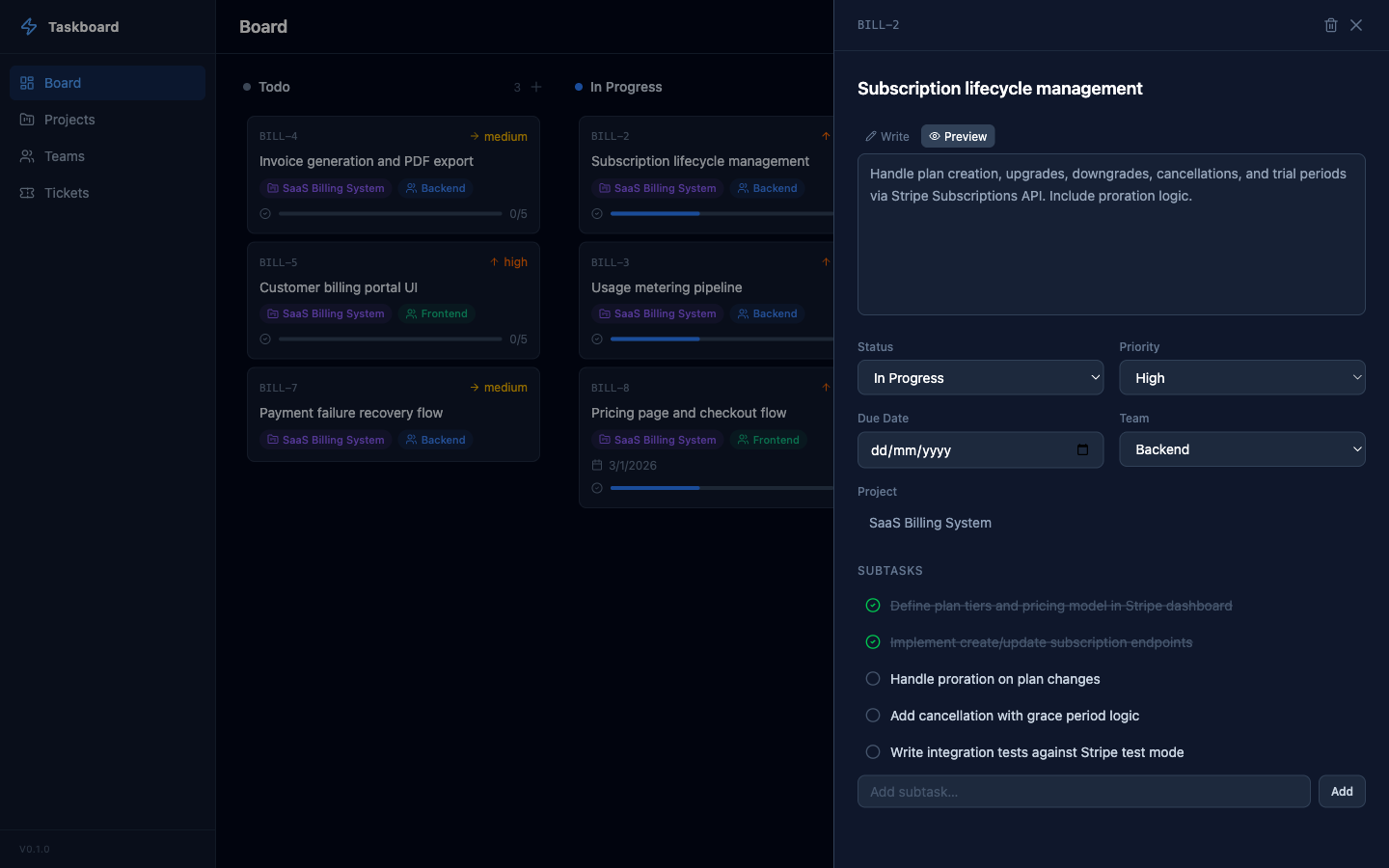
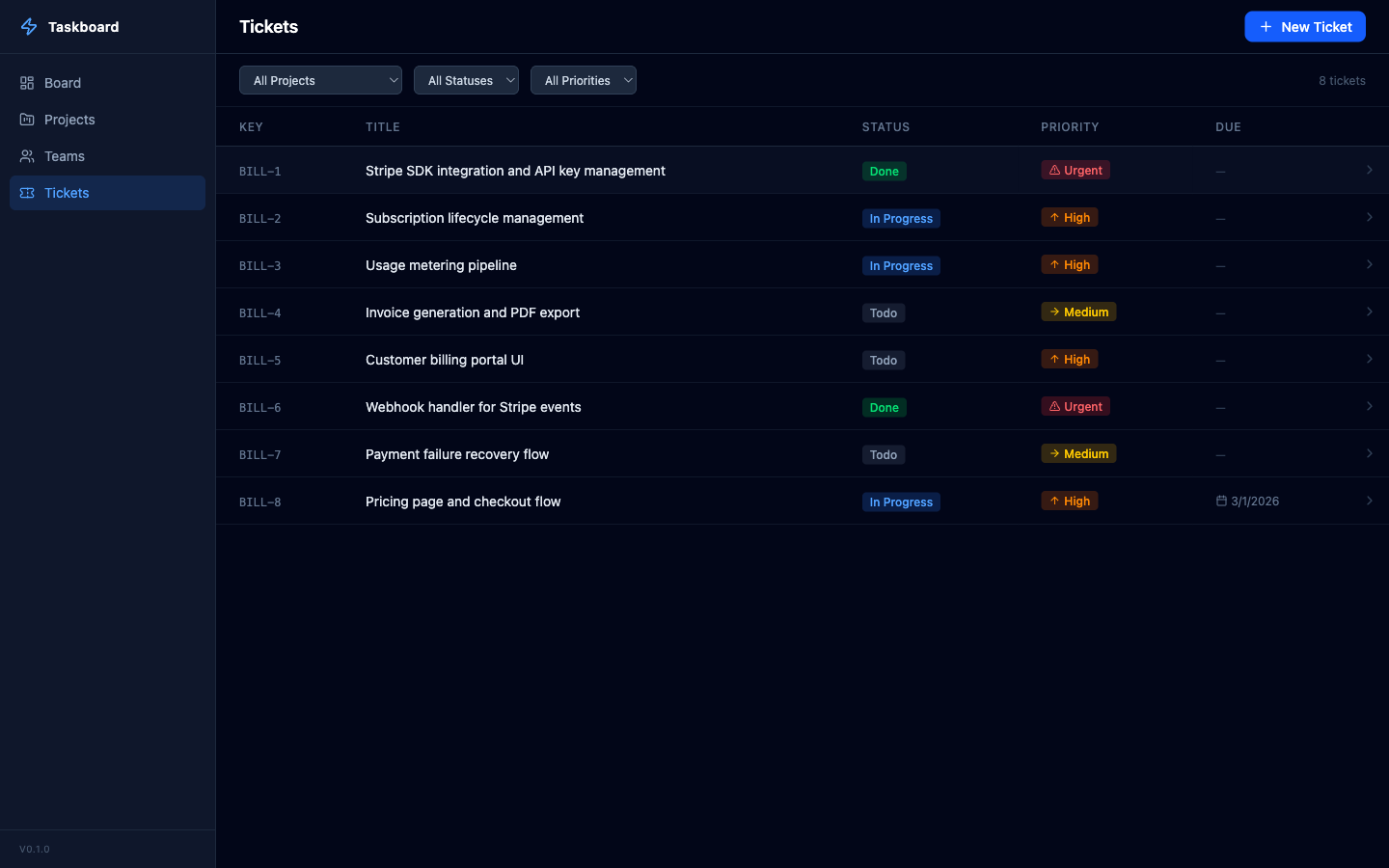
- Tickets — priority levels, due dates, labels, subtasks, dependencies (blocked by)
- Embedded Terminal — run AI coding agents (opencode, Claude Code) directly from the web UI
- CLI — manage everything from the terminal
- MCP Server — 22 tools for AI-native project management via Model Context Protocol
- Self-Hosted — your data stays on your machine in a SQLite database
- Single Binary — one
brew installand you're running
Install
Homebrew
brew tap tcarac/taskboard
brew install taskboard
From source
git clone https://github.com/tcarac/taskboard.git
cd taskboard
make build
Requires Go 1.24+ and Node.js 22+.
Usage
Web UI
taskboard start
# => http://localhost:3010

taskboard start --port 8080
CLI
taskboard project create "Auth System" --prefix AUTH --icon "🔐"
taskboard project list

taskboard ticket create --project <ID> --title "Implement login" --priority high
taskboard ticket list --project <ID> --status todo
taskboard ticket move <ID> --status done

taskboard team create "Backend"
taskboard team list
MCP Server (for AI assistants)
taskboard mcp
Claude Code
claude mcp add taskboard -- /path/to/taskboard mcp
Claude Desktop
Add to ~/.claude/claude_desktop_config.json:
{
  "mcpServers": {
    "taskboard": {
      "command": "/path/to/taskboard",
      "args": ["mcp"]
    }
  }
}
Data Hierarchy
Project → Ticket → Subtask
(initiative)  (task)    (step)
- Projects are the top-level grouping (like epics/initiatives). Create one per body of work.
- Tickets are concrete, actionable tasks within a project. Don't create "epic" tickets — use projects.
- Subtasks are checklist steps within a ticket, for breaking work into verifiable pieces.
Available MCP Tools (22)
| Tool | Description |
|---|---|
| Projects | |
list_projects | List all projects with optional status filter |
get_project | Get project details by ID |
create_project | Create a new project (use for epics/initiatives) |
update_project | Update project properties |
delete_project | Delete a project and all its tickets |
| Teams | |
list_teams | List all teams |
get_team | Get team details by ID |
create_team | Create a new team |
update_team | Update team properties |
delete_team | Delete a team |
| Tickets | |
list_tickets | List tickets with filters |
get_ticket | Get ticket details with subtasks and labels |
create_ticket | Create a ticket (task) within a project |
update_ticket | Update ticket properties |
move_ticket | Move ticket to different status column |
delete_ticket | Delete a ticket |
| Board | |
get_board | Get full Kanban board grouped by status |
| Subtasks | |
create_subtask | Add a subtask to a ticket |
batch_create_subtasks | Add multiple subtasks to a ticket at once |
toggle_subtask | Toggle subtask completion |
delete_subtask | Remove a subtask from a ticket |
Example Prompts
Once the MCP is connected, you can talk to your AI assistant in high-level terms and let it figure out the breakdown:
I'm building a SaaS billing system. Set up the project and break the work
into tickets covering Stripe integration, usage metering, invoice generation,
and a customer billing portal. Prioritize accordingly.
I need to ship a password reset flow. Think through what's involved — API
endpoints, email templates, token handling, UI screens, tests — and create
tickets with subtasks for each piece.
Look at my board and figure out what's blocking progress. If anything in
"in progress" has been sitting there without subtasks, break it down into
concrete next steps.
Here's what that looks like — a project and tickets created entirely by an AI assistant via MCP:
Embedded Terminal
The web UI includes a built-in terminal. Click Terminal in the sidebar to open a full PTY shell with color support and a resizable panel. Run opencode, claude, or any command directly from the browser.
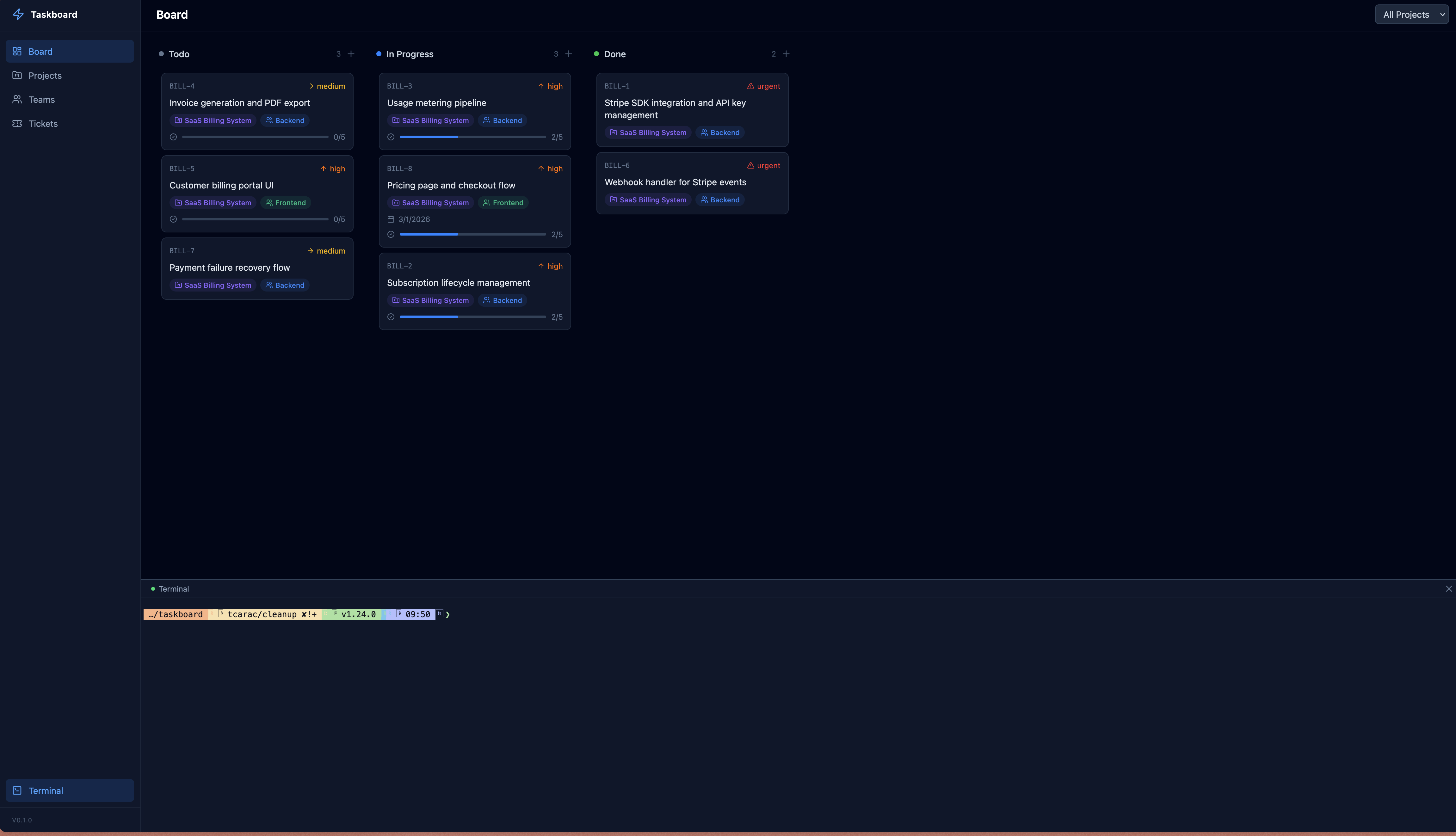
The agent shares the same SQLite database via MCP, so tickets it creates show up on your board immediately.
Data Storage
All data is stored in a SQLite database at:
- macOS:
~/Library/Application Support/taskboard/taskboard.db - Linux:
~/.config/taskboard/taskboard.db
Migrations run automatically on first start.
Custom Database Path
Use --db to point any command at a different database file:
taskboard --db /path/to/other.db start
taskboard --db /path/to/other.db mcp
taskboard --db /path/to/other.db ticket list
Clearing Data
To wipe all projects, tickets, teams, and labels while keeping the schema intact:
taskboard clear        # prompts for confirmation
taskboard clear -f     # skip confirmation
This also respects --db, so you can clear a specific database file:
taskboard --db /tmp/test.db clear -f
Tech Stack
| Layer | Technology |
|---|---|
| Language | Go |
| Database | SQLite (via modernc.org/sqlite, pure Go) |
| CLI | cobra |
| HTTP | chi |
| Frontend | React, TypeScript, Tailwind CSS v4, dnd-kit |
| Terminal | xterm.js, gorilla/websocket, creack/pty |
| MCP | JSON-RPC over stdio |
| Distribution | Single binary with embedded frontend via embed.FS |
Development
# Run backend (serves API on :3010)
go run ./cmd/taskboard start

# Run frontend dev server (proxies API to :3010)
cd web && npm run dev

# Build everything
make build

# Clean
make clean
Contributing
See CONTRIBUTING.md for guidelines.