Agent Orchestration & Security Template
An AI safety engineering portfolio combining production tooling, detection research, and risk analysis—structured as a reusable template.
Important: This is an advanced template repository designed for experienced developers working with autonomous AI agents. Before diving in, we strongly recommend:
Read the AI Safety Training Guide - Essential concepts for safe human-AI collaboration, including deception detection, scalable oversight, and control protocols
Take an AI Safety course at BlueDot Impact - Free, rigorous training programs covering AI safety fundamentals, governance, and alignment. Highly recommended for anyone building with autonomous agents.
Working with AI agents introduces risks that differ fundamentally from traditional software. Understanding these risks isn't optional - it's a prerequisite for responsible development.
Project Philosophy
This project follows a container-first approach:
- All tools and CI/CD operations run in Docker containers for maximum portability
- Zero external dependencies - runs on any Linux system with Docker
- Self-hosted infrastructure - no cloud costs, full control over runners
- Single maintainer design - optimized for individual developer productivity
- Modular MCP architecture - Separate specialized servers for different functionalities
Quick Start
New to the template? Check out our Template Quickstart Guide for step-by-step customization instructions!
-
Prerequisites: Linux system with Docker (v20.10+) and Docker Compose (v2.0+)
-
Clone and setup
git clone https://github.com/AndrewAltimit/template-repo cd template-repo pip3 install -e ./packages/github_agents -
Set API keys (if using AI features)
export OPENROUTER_API_KEY="your-key-here" # For OpenCode/Crush export GEMINI_API_KEY="your-key-here" # For Gemini -
Use with Claude Code: MCP servers are configured in
.mcp.jsonand auto-started by Claude. See MCP Configuration for essential vs full setups. -
Run CI/CD operations
./automation/ci-cd/run-ci.sh full # Full pipeline
For detailed setup, see CLAUDE.md and Template Quickstart Guide.
AI Agents
Six AI agents for development and automation. See AI Agents Documentation for details.
| Agent | Provider | Use Case | Documentation |
|---|---|---|---|
| Claude Code | Anthropic | Primary development assistant | Setup Guide |
| Codex | OpenAI | Code generation | Setup Guide |
| OpenCode | OpenRouter | Code generation | AI Code Agents |
| Crush | OpenRouter | Code generation | AI Code Agents |
| Gemini | Code review (limited tool use) | Setup Guide | |
| GitHub Copilot | GitHub | PR review suggestions | - |
All code generation agents (Codex, OpenCode, Crush) provide equivalent functionality - choose based on your API access.
Security: Keyword triggers, user allow list, secure token management. See Security Model
Safety Training: Essential AI safety concepts for human-AI collaboration. See Human Training Guide
Sleeper Agents: Create and evaluate sleeper agents in order to detect misalignment and probe for deception. See Sleeper Agents Package
Agentic Git Workflow
AI agents autonomously manage the development lifecycle from issue creation through PR merge:
Issue Created → Admin Approval → Agent Claims → PR Created → AI Review → Human Merge
The Flow:
- Issue Creation - Issues are created manually or by agents via
backlog-refinement.yml, automatically added to the GitHub Projects board - Admin Approval - An authorized user comments
[Approved][Claude](or another agent name) to authorize work - Agent Claims -
board-agent-worker.ymlfinds approved issues, the agent claims the issue and creates a working branch - Implementation - The agent implements the fix/feature and opens a PR
- AI Review -
pr-validation.ymltriggers Gemini code review;pr-review-monitor.ymllets agents iterate on feedback - Human Merge - Admin reviews and merges the PR
Security Model:
- Approval Required - Agents cannot work on issues without explicit
[Approved][Agent]comment - Authorized Users Only - Only users listed in
.agents.yaml→security.agent_adminscan approve - Pattern Validation - Must use
[Action][Agent]format (e.g.,[Approved][Claude]) to prevent false positives - Claim Tracking - Agents post claim comments with timestamps to prevent conflicts
See Security Documentation for the complete security model.
Reports & Research
Technical reports and guides exploring AI risks, safety frameworks, and philosophical questions. PDFs are automatically built from LaTeX source and published with each release.
Emerging Technology Risk Assessments
Scenario-based projection reports analyzing potential futures involving advanced AI systems. See Projections Documentation.
| Report | Topic | Source | |
|---|---|---|---|
| AI Agents Political Targeting | Political violence risk | Download | LaTeX |
| AI Agents WMD Proliferation | WMD proliferation risk | Download | LaTeX |
| AI Agents Espionage Operations | Intelligence tradecraft | Download | LaTeX |
| AI Agents Economic Actors | Autonomous economic actors | Download | LaTeX |
| AI Agents Financial Integrity | Money laundering & corruption | Download | LaTeX |
| AI Agents Institutional Erosion | IC monopoly erosion & verification pivot | Download | LaTeX |
Technical Guides
| Guide | Description | Source | |
|---|---|---|---|
| Agentic Workflow Handout | AI agent pipeline architecture and workflows | Download | LaTeX |
| Sleeper Agents Framework | AI backdoor detection using residual stream analysis | Download | LaTeX |
| AgentCore Memory Integration | Multi-provider AI memory system | Download | LaTeX |
| Virtual Character System | AI agent embodiment platform | Download | LaTeX |
Philosophy Papers
Philosophical explorations of minds, experience, and intelligence. See Philosophy Papers Documentation.
| Paper | Topic | Source | |
|---|---|---|---|
| Architectural Qualia | What Is It Like to Be an LLM? | Download | LaTeX |
Build Status: 
Packages
Four standalone packages addressing different aspects of AI agent development and safety:
| Package | Purpose | Documentation |
|---|---|---|
| GitHub Agents | Multi-agent orchestration for autonomous GitHub workflows - issue monitoring, PR review processing, and board coordination with Claude, Codex, OpenCode, Gemini, and Crush | README | Security |
| Sleeper Agents | Production-validated detection framework for hidden backdoors in LLMs, based on Anthropic's research on deceptive AI that persists through safety training | README | PDF Guide |
| Economic Agents | Simulation framework demonstrating autonomous AI economic capability - agents that earn money, form companies, hire sub-agents, and seek investment. For governance research and policy development | README |
| Injection Toolkit | Cross-platform Rust framework for runtime integration - DLL injection (Windows), LD_PRELOAD (Linux), shared memory IPC, and overlay rendering. For game modding, debugging tools, and AI agent embodiment | README | Architecture |
# Install Python packages
pip install -e ./packages/github_agents
pip install -e ./packages/sleeper_agents
pip install -e ./packages/economic_agents

# Build Rust package (requires Rust toolchain)
cd packages/injection_toolkit && cargo build --release
Features
- 18 MCP Servers - Code quality, content creation, AI assistance, 3D graphics, video editing, speech synthesis, and more
- 6 AI Agents - Autonomous development workflow from issue to merge
- 4 Packages - GitHub automation, sleeper agent detection, economic agent simulation, runtime injection toolkit
- Container-First Architecture - Maximum portability and consistency
- Self-Hosted CI/CD - Zero-cost GitHub Actions infrastructure
- Company Integration - Corporate proxy builds for enterprise AI APIs (Docs)
Enterprise & Corporate Setup
For enterprise environments requiring custom certificates, customize automation/corporate-proxy/shared/scripts/install-corporate-certs.sh. This script runs during Docker builds for all containers. See the customization guide for details.
Project Structure
.
├── .github/workflows/        # GitHub Actions workflows
├── docker/                   # Docker configurations
├── packages/                 # Installable packages
│   ├── github_agents/        # Multi-agent GitHub automation
│   ├── sleeper_agents/       # AI backdoor detection framework
│   ├── economic_agents/      # Autonomous economic agents
│   └── injection_toolkit/    # Rust runtime injection framework
├── tools/
│   ├── mcp/                  # 18 MCP servers (see MCP Servers section)
│   └── cli/                  # Agent runners and utilities
├── automation/               # CI/CD and automation scripts
├── tests/                    # Test files
├── docs/                     # Documentation
└── config/                   # Configuration files
MCP Servers
Available Servers
- Code Quality - Formatting, linting, auto-formatting
- Content Creation - Manim animations, LaTeX, TikZ diagrams
- Gaea2 - Terrain generation (Documentation)
- Blender - 3D content creation, rendering, physics simulation (Documentation)
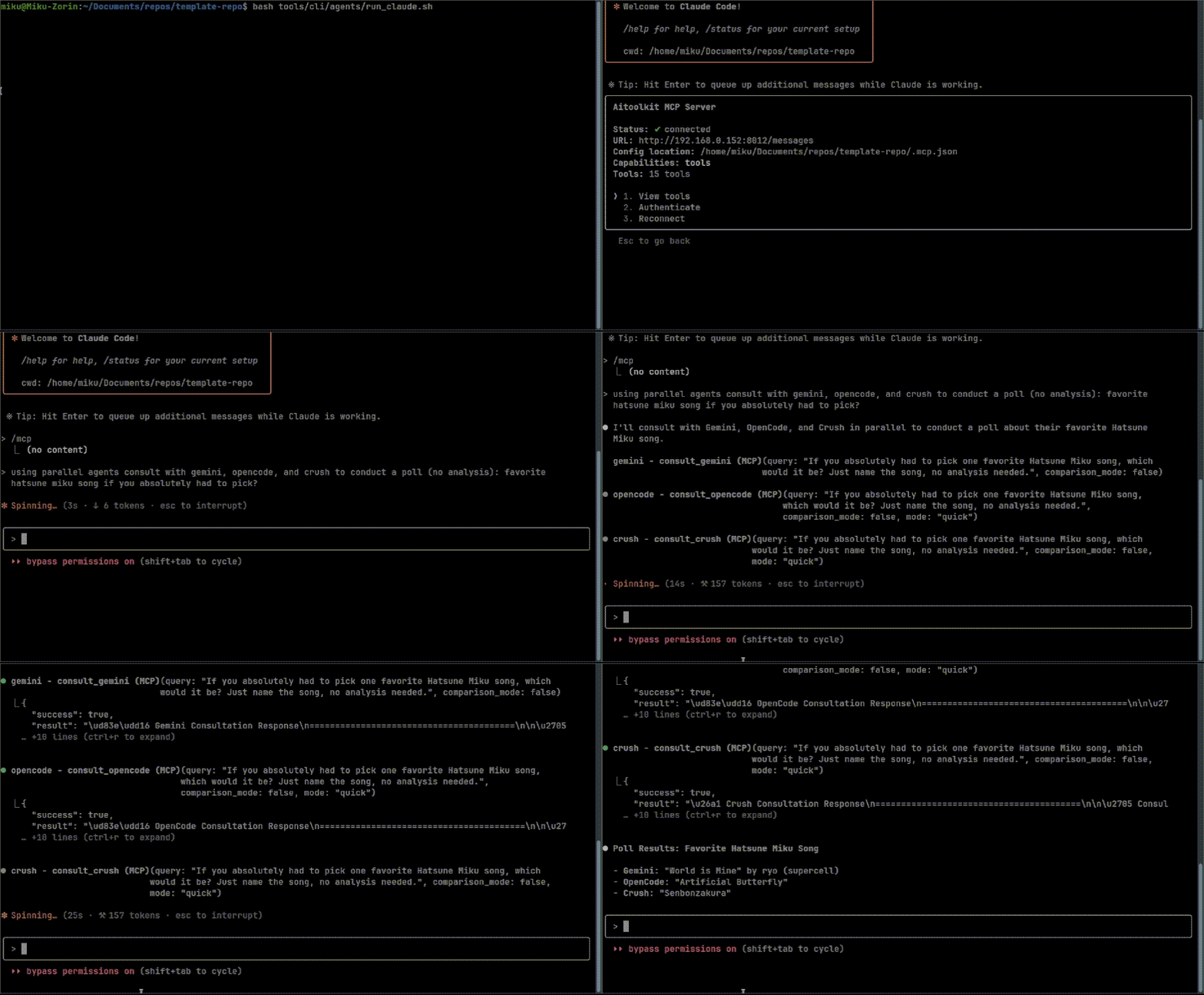
- Gemini - AI consultation (containerized and host modes available)
- Codex - AI-powered code generation and completion
- OpenCode - Code generation via OpenRouter
- Crush - Code generation via OpenRouter
- Meme Generator - Create memes with templates
- ElevenLabs Speech - Advanced TTS with v3 model, 50+ audio tags, 74 languages (Documentation)
- Video Editor - AI-powered video editing with transcription and scene detection (Documentation)
- Virtual Character - AI agent embodiment in virtual worlds (VRChat, Blender, Unity) (Documentation)
- GitHub Board - GitHub Projects v2 board management, work claiming, agent coordination (Documentation)
- AI Toolkit - LoRA training interface (remote: 192.168.0.222:8012)
- ComfyUI - Image generation interface (remote: 192.168.0.222:8013)
- AgentCore Memory - Multi-provider AI memory (AWS AgentCore or ChromaDB) (Documentation)
- Reaction Search - Semantic search for anime reaction images (Documentation)
- Desktop Control - Cross-platform desktop automation for Linux and Windows (Documentation)
Usage Modes
- STDIO Mode (local MCPs): Configured in
.mcp.json, auto-started by Claude - HTTP Mode (remote MCPs): Run the MCP using docker-compose on the remote node.
See MCP Architecture Documentation and STDIO vs HTTP Modes for details.
Tool Reference
For complete tool listings, see MCP Tools Reference
Configuration
Environment Variables
See .env.example for all available options.
Key Configuration Files
.mcp.json- MCP server configuration for Claude Codedocker-compose.yml- Container services configurationCLAUDE.md- Project-specific Claude Code instructions (root directory)AGENTS.md- Universal AI agent configuration and guidelines (root directory)docs/agents/project-context.md- Context for AI reviewers
Setup Guides
Development Workflow
Container-First Development
All Python operations run in Docker containers:
# Run CI operations
./automation/ci-cd/run-ci.sh format      # Check formatting
./automation/ci-cd/run-ci.sh lint-basic  # Basic linting
./automation/ci-cd/run-ci.sh test        # Run tests
./automation/ci-cd/run-ci.sh full        # Full CI pipeline

# Run specific tests
docker-compose run --rm python-ci pytest tests/test_mcp_tools.py -v
GitHub Actions
- Pull Request Validation - Automatic Gemini AI review
- Continuous Integration - Full CI pipeline
- Code Quality - Multi-stage linting (containerized)
- Automated Testing - Unit and integration tests
- Security Scanning - Bandit and safety checks
All workflows run on self-hosted runners for zero-cost operation.
Documentation
Core Documentation
- AGENTS.md - Universal AI agent configuration and guidelines
- CLAUDE.md - Claude-specific instructions and commands
- MCP Architecture - Modular server design
- AI Agents Documentation - AI agents overview
Quick References
Integration Guides
Setup & Configuration
- Template Quickstart Guide - Customize the template for your needs
- Self-Hosted Runner Setup
- GitHub Environments Setup
- Containerized CI
License
This project is released under the Unlicense (public domain dedication).
For jurisdictions that do not recognize public domain: As a fallback, this project is also available under the MIT License.