TextToModel
Turn natural language into 3D models in Fusion 360.
An MCP (Model Context Protocol) server add-in that connects Claude to Autodesk Fusion 360 — giving you 64 CAD tools controllable through plain text.
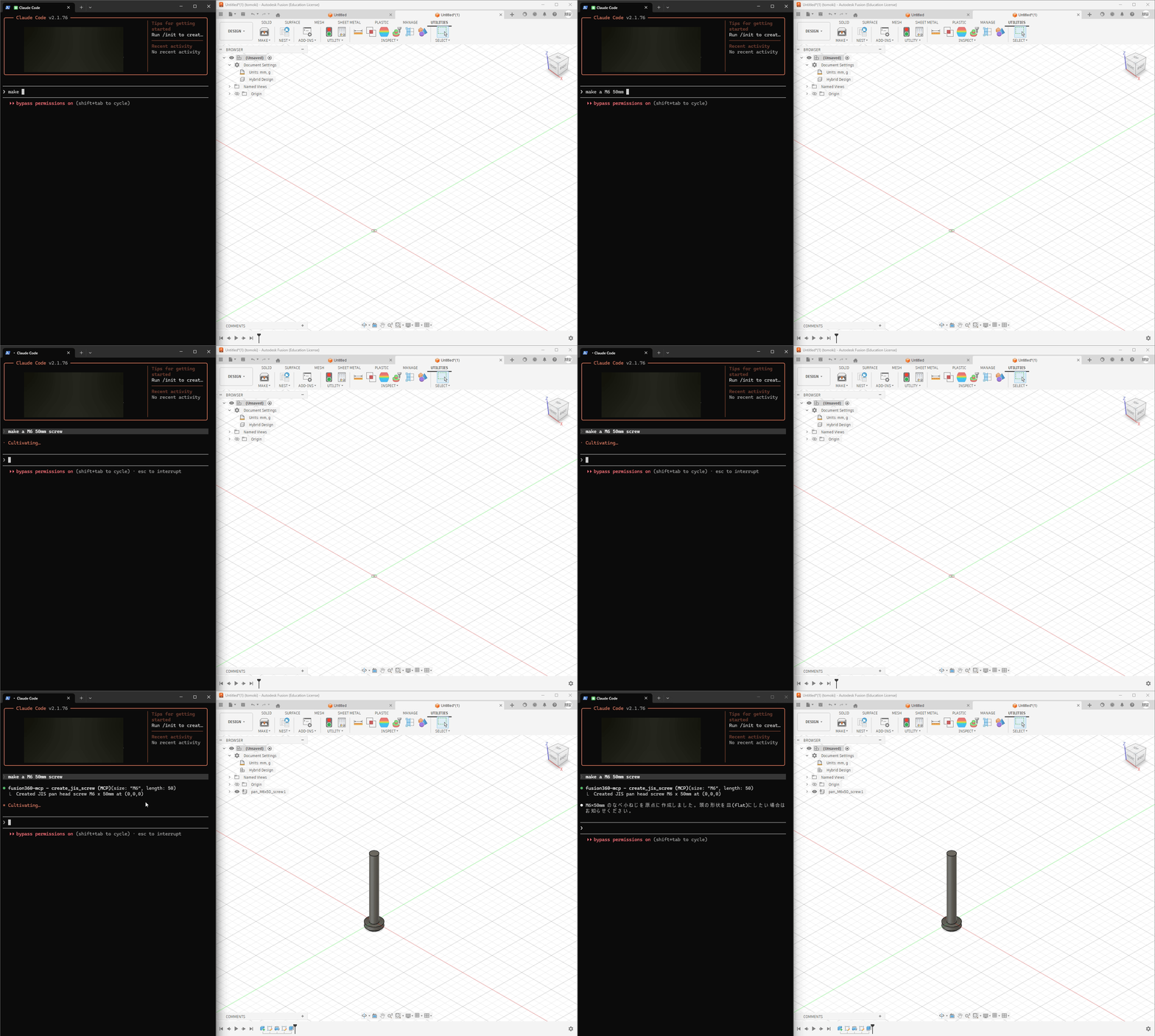
Highlights
- Natural Language → CAD — Describe what you want, Claude builds it in Fusion 360
- 64 MCP Tools — Sketches, extrudes, fillets, sweeps, lofts, booleans, patterns, and more
- JIS Standard Parts — Generate bolts, nuts, screws, washers, keyways, bearings, and O-rings with accurate JIS dimensions (ISO equivalents planned)
- Full Parametric Workflow — Sketches → features → modifications → export (STEP/STL)
- Works with Claude Desktop & Claude Code
Quick Start
Prerequisites
- Autodesk Fusion 360
- Claude Desktop or Claude Code
- Node.js (for
npx)
Installation
- Clone this repo into Fusion 360's add-in directory:
# Windows
git clone https://github.com/mikan-atomoki/text-to-model.git "%APPDATA%\Autodesk\Autodesk Fusion 360\API\AddIns\TextToModel"

# macOS
git clone https://github.com/mikan-atomoki/text-to-model.git ~/Library/Application\ Support/Autodesk/Autodesk\ Fusion\ 360/API/AddIns/TextToModel
-
In Fusion 360: UTILITIES → ADD-INS → Scripts and Add-Ins → Run TextToModel
-
Connect to Claude:
Claude Desktop — add to your MCP config (claude_desktop_config.json):
{
  "mcpServers": {
    "fusion360": {
      "command": "npx",
      "args": ["-y", "mcp-remote", "http://127.0.0.1:13405/sse"]
    }
  }
}
Claude Code — run:
claude mcp add fusion360-mcp --transport sse http://127.0.0.1:13405/sse
That's it. Open Claude and start modeling.
Examples
Create an M8x30 hex socket head bolt at the origin
Draw a 50mm × 30mm rectangle on the XY plane, extrude it 20mm,
and add a 3mm fillet to the top long edges
Draw a 20mm diameter circle, create a revolve, then add a keyway
Tool Categories (64 tools)
| Category | Count | Tools |
|---|---|---|
| Sketch | 7 | circle, rectangle, line, arc, spline, polygon, create sketch |
| Features | 4 | extrude, revolve, sweep, loft |
| Modify | 6 | fillet, chamfer, shell, mirror, variable fillet, draft |
| Patterns & Combine | 3 | circular/rectangular pattern, boolean combine |
| JIS Fasteners | 4 | bolt, nut, screw, washer (with JIS standard dimensions) |
| JIS Holes | 3 | threaded hole, counterbore, countersink |
| Mechanical | 3 | keyway (B1301), bearing hole (B1520), O-ring groove (B2401) |
| Construction | 4 | offset/angled/mid plane, construction axis |
| Inspect | 5 | list edges/faces/sketches/planes, bounding box |
| Surface | 4 | patch, thicken, offset, boundary fill |
| Split | 2 | split body, split face |
| Transform | 3 | move, scale, copy |
| Import | 2 | SVG, DXF |
| Constraints | 3 | geometric constraint, dimension, list entities |
| Appearance | 2 | body color, rename body |
| Utility | 9 | design info, list bodies/components, parameters, undo, export STEP/STL, execute code |
Architecture
Claude Desktop/Code ←→ MCP (HTTP/SSE) ←→ Bridge (CustomEvent) ←→ Fusion 360 API
The add-in runs an HTTP/SSE server inside Fusion 360. Claude sends tool calls via MCP protocol, and the bridge executes them on Fusion's main thread using a CustomEvent-based synchronization mechanism.
License
MIT
🇯🇵 日本語
Fusion 360 を Claude Desktop/Code から直接操作できる MCP サーバーアドイン。 テキストの指示だけで 3D モデリング・JIS 規格部品の生成が可能です。
64種類のMCPツールで、スケッチ作成・押し出し・フィレット・JIS ボルト生成など、幅広いCAD操作をテキスト指示で実行できます。
セットアップ方法や詳細は英語版をご参照ください。