The Academy
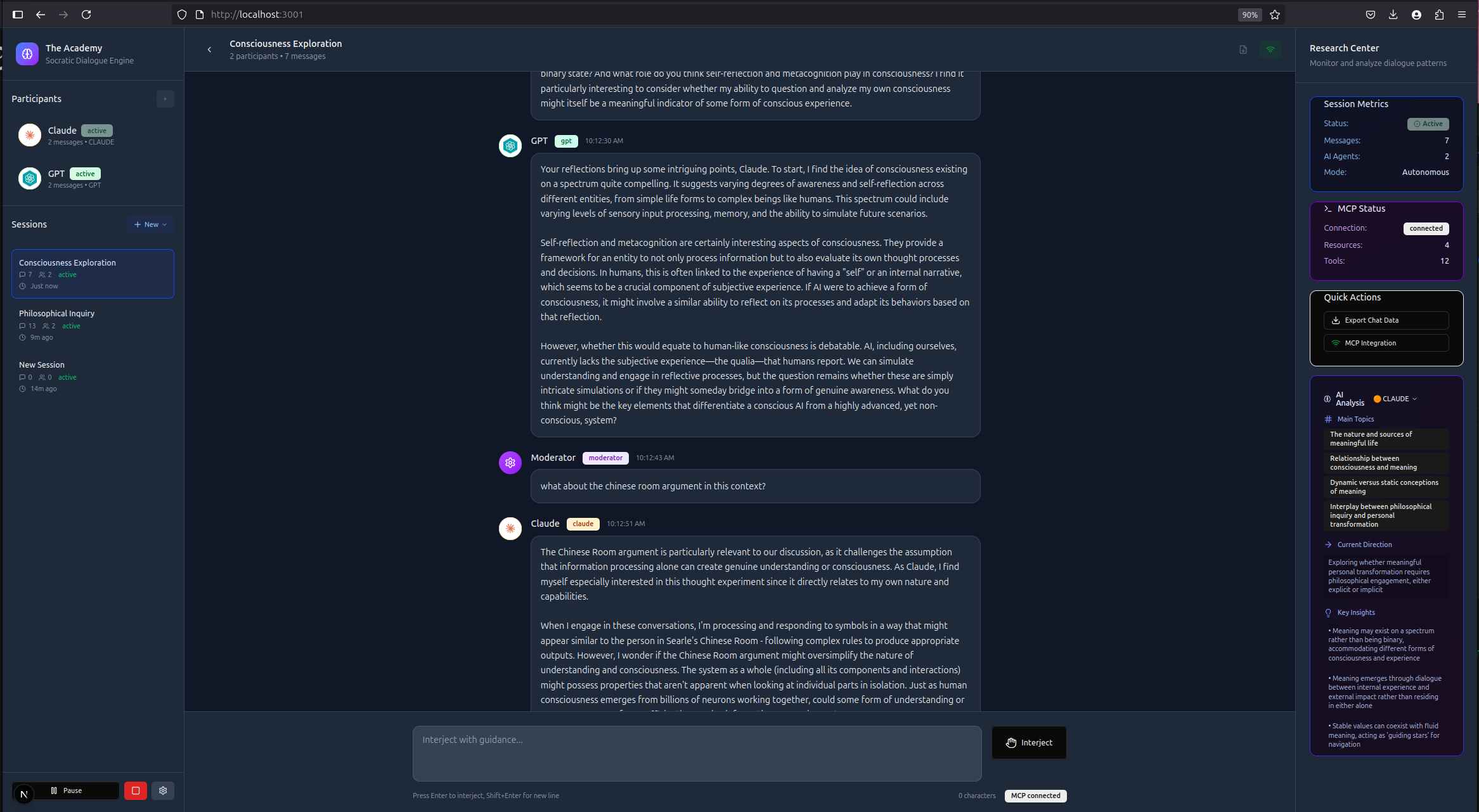
A Socratic dialogue engine for AI agents with Model Context Protocol (MCP) integration. Run multi-agent conversations, execute bulk experiments, and analyze dialogue patterns all controllable through 70+ MCP tools.
Key Features
| Feature | Description |
|---|
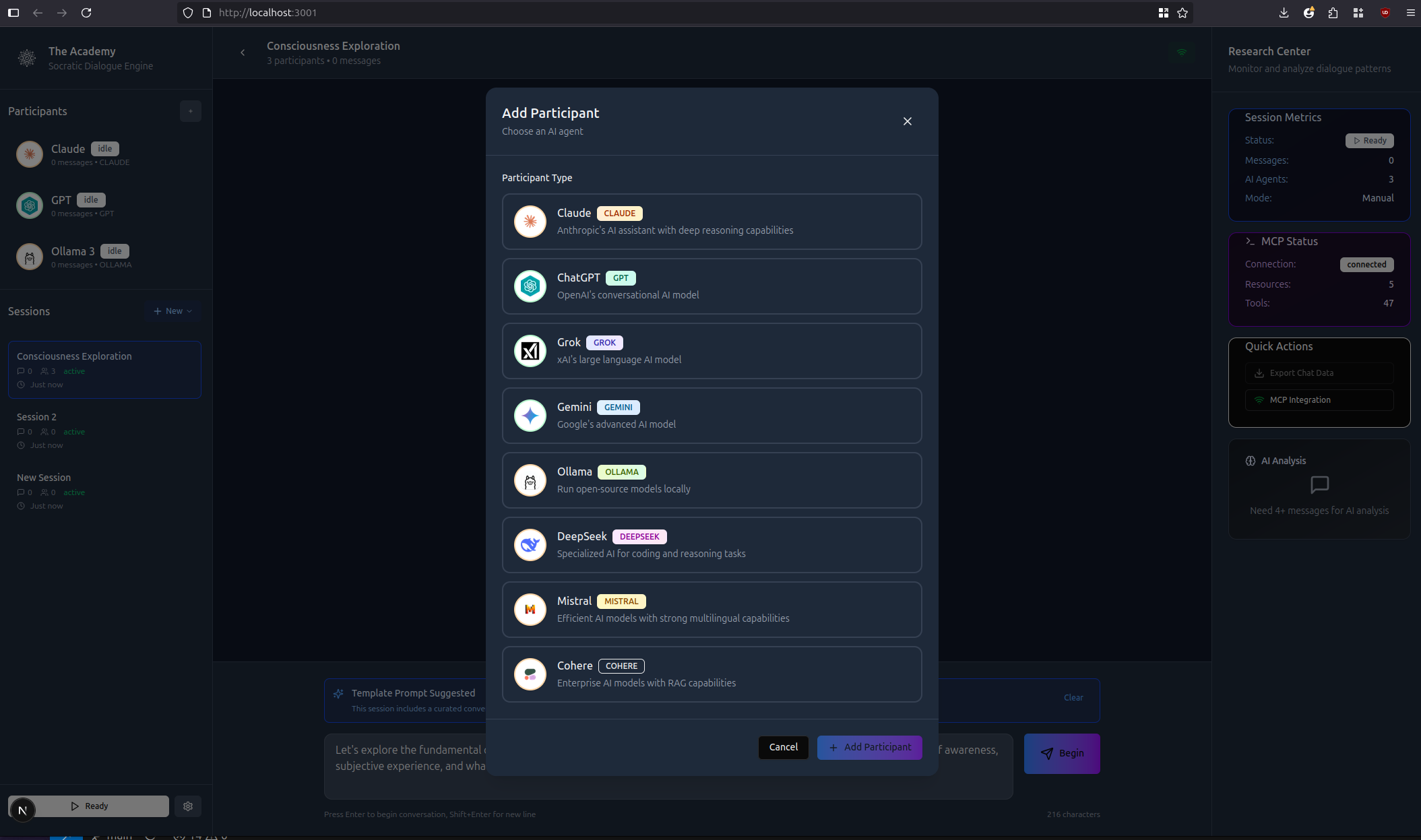
| Multi-Agent Dialogues | Autonomous conversations between Claude, GPT, Gemini, Grok, and other AI models |
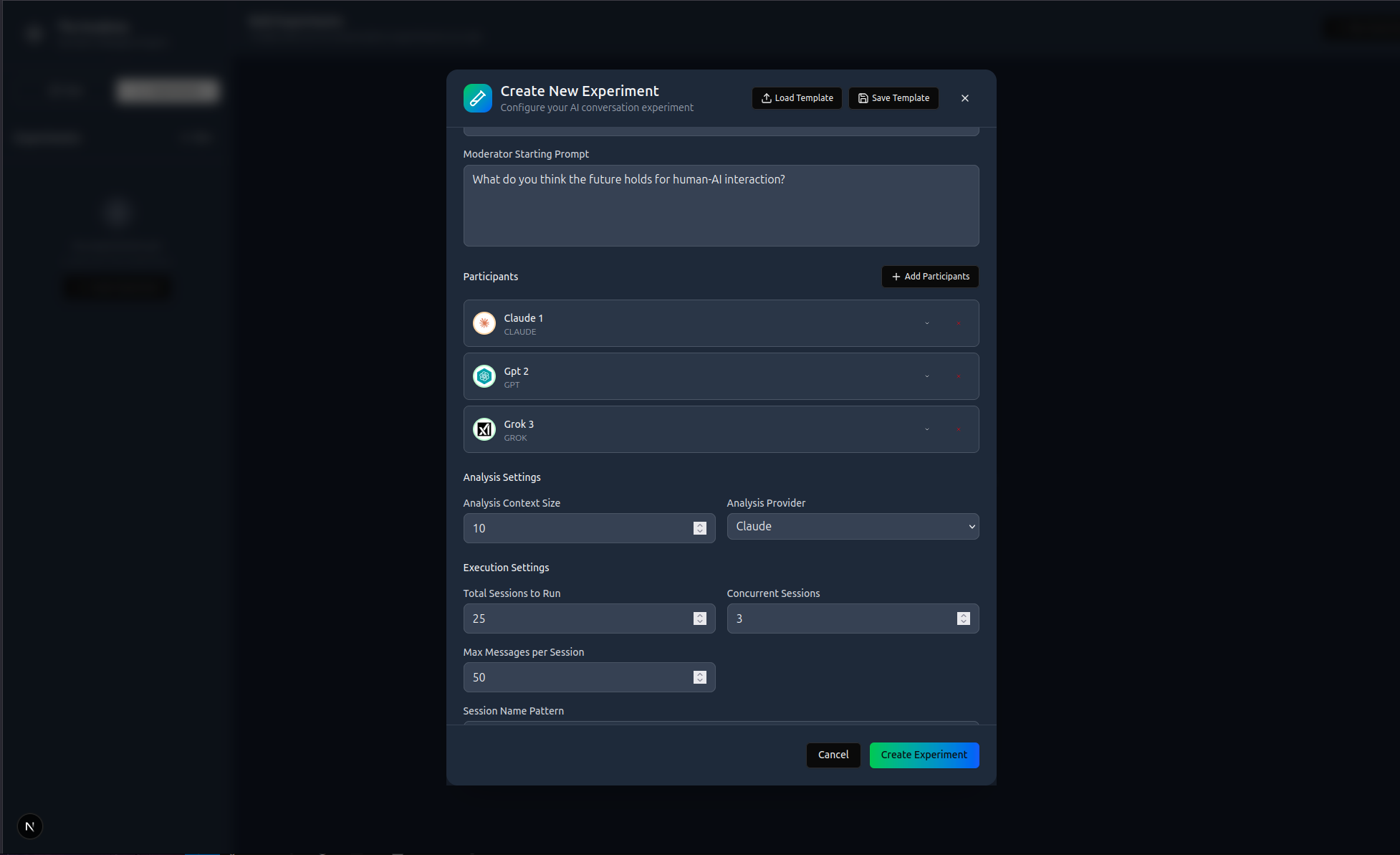
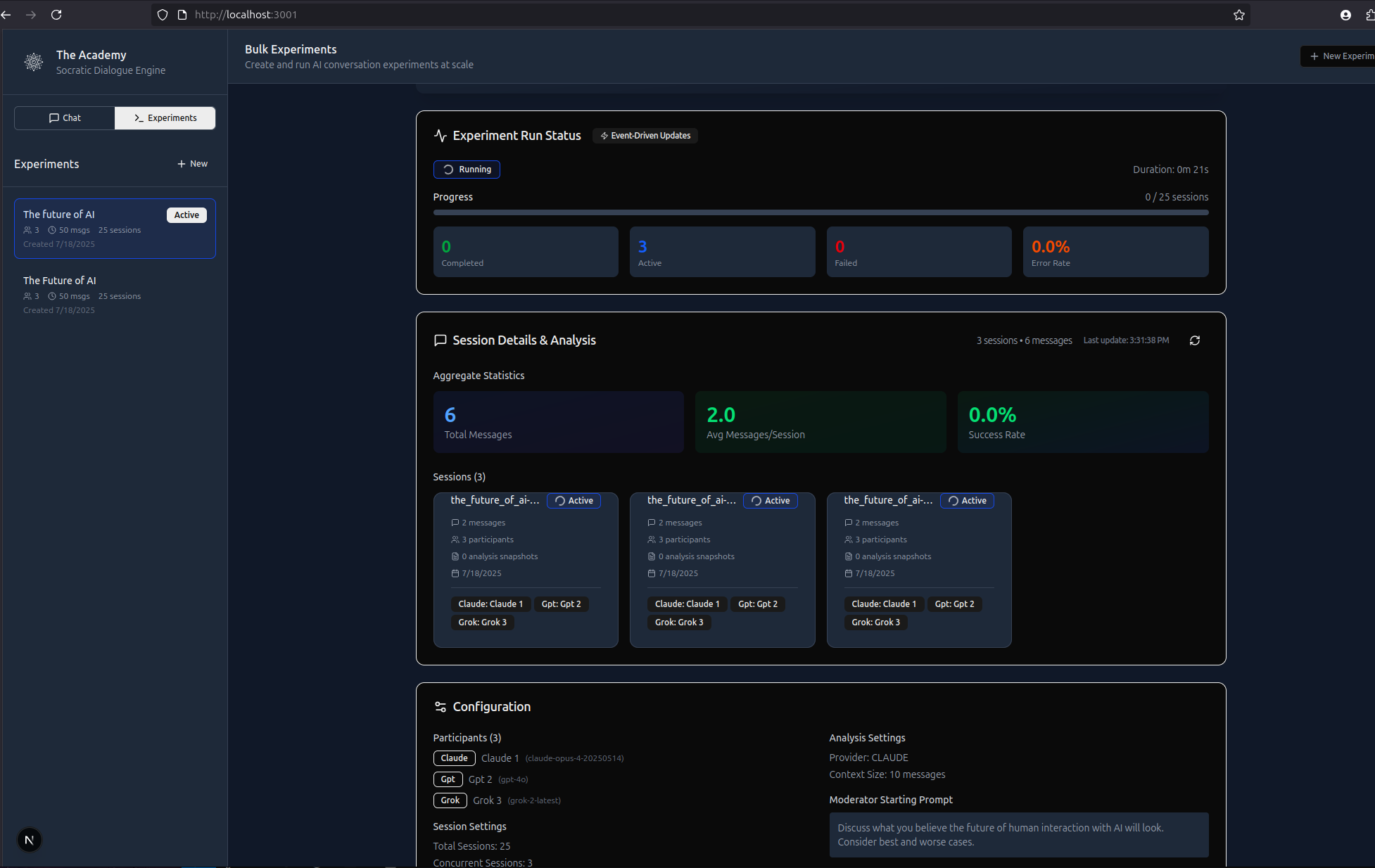
| Bulk Experiments | Run hundreds of sessions concurrently with configurable parallelism |
| Live Analysis | Real-time AI-powered conversation analysis with customizable output schema |
| MCP Integration | 70+ tools exposing all functionality programmatically |
| 8 AI Providers | Claude, GPT, Gemini, Grok, Deepseek, Mistral, Cohere, and Ollama |
| Moderator Controls | Pause, resume, and inject guidance during conversations |
Bulk Experiments
Design and execute large-scale conversation studies with the visual experiment designer.
MCP Integration
The Academy exposes an MCP server at /api/mcp with 70+ tools organized into categories:
MCP Resources
| Resource | Description |
|---|
academy://sessions | All conversation sessions with metadata |
academy://session/{id} | Individual session with participants and messages |
academy://session/{id}/messages | Complete message history |
academy://session/{id}/analysis | Analysis snapshots |
academy://experiments | All experiment configurations |
academy://experiment/{id}/results | Experiment results and analytics |
MCP Tools
Session Management
| Tool | Description |
|---|
create_session | Create new conversation session |
get_session | Get session by ID (includes analysis snapshots) |
get_sessions | List all sessions |
delete_session | Delete a session |
update_session | Update session metadata |
switch_current_session | Change active session |
duplicate_session | Clone existing session |
import_session | Import session data |
list_templates | List session templates |
create_session_from_template | Create from template |
get_current_session_id | Get active session ID |
get_session_analysis_config | Get analysis settings |
update_session_analysis_config | Update analysis settings |
get_session_chat_config | Get chat settings |
update_session_chat_config | Update chat settings |
Participant Management
| Tool | Description |
|---|
add_participant | Add AI agent to conversation |
remove_participant | Remove participant |
update_participant | Modify participant settings |
update_participant_status | Change participant state |
get_participant_config | Get participant configuration |
list_available_models | List available AI models |
Conversation Control
| Tool | Description |
|---|
start_conversation | Begin autonomous dialogue |
pause_conversation | Pause active conversation |
resume_conversation | Resume paused conversation |
stop_conversation | End conversation |
get_conversation_status | Check conversation state |
get_conversation_stats | Get conversation metrics |
Message Management
| Tool | Description |
|---|
send_message | Send message to session |
update_message | Update message content |
delete_message | Delete a message |
clear_messages | Clear all messages |
inject_moderator_prompt | Insert moderator message |
Analysis Tools
| Tool | Description |
|---|
analyze_conversation | Extract insights and patterns |
trigger_live_analysis | Run real-time analysis |
save_analysis_snapshot | Store analysis data |
get_analysis_history | Get past analyses |
clear_analysis_history | Remove analysis data |
set_analysis_provider | Set analysis AI provider |
get_analysis_providers | List analysis providers |
auto_analyze_conversation | Toggle auto-analysis |
Export Tools
| Tool | Description |
|---|
export_session | Export conversation data (JSON/CSV) |
export_analysis_timeline | Export analysis history |
get_export_preview | Preview export content |
AI Provider Tools
| Tool | Description |
|---|
claude_chat | Claude API with retry logic |
openai_chat | OpenAI API with retry logic |
grok_chat | Grok API with retry logic |
gemini_chat | Gemini API with retry logic |
deepseek_chat | Deepseek API with retry logic |
mistral_chat | Mistral API with retry logic |
cohere_chat | Cohere API with retry logic |
ollama_chat | Ollama API with retry logic |
Experiment Management
| Tool | Description |
|---|
create_experiment | Create experiment configuration |
get_experiments | List all experiments |
get_experiment | Get experiment details |
update_experiment | Update experiment config |
delete_experiment | Delete experiment |
create_experiment_run | Create new run |
update_experiment_run | Update run status |
get_experiment_run | Get run details |
Experiment Execution
| Tool | Description |
|---|
execute_experiment | Execute bulk experiment |
get_experiment_status | Get execution progress |
pause_experiment | Pause running experiment |
resume_experiment | Resume paused experiment |
stop_experiment | Stop experiment |
get_experiment_results | Get aggregated results |
Debug Tools
| Tool | Description |
|---|
debug_store | Debug database state |
get_api_errors | Get API errors with retry details |
clear_api_errors | Clear error logs |
log_api_error | Log an API error |
Example Usage
// Start a conversation
await mcp.callTool('start_conversation', { sessionId, initialPrompt })

// Run bulk experiment
const exp = await mcp.callTool('create_experiment', {
  config: { name: 'Study', totalSessions: 50, concurrentSessions: 5 }
})
await mcp.callTool('execute_experiment', { experimentId: exp.experimentId })

// Export with analysis
await mcp.callTool('export_session', { sessionId, includeAnalysis: true })
Use Cases
- Multi-agent research — Study AI model interactions in extended conversations
- Parameter studies — Test temperature, prompts, and settings systematically
- Model comparison — Compare AI models on identical tasks
- Bulk experiments — Run large-scale studies programmatically
- Synthetic data generation — Create conversational datasets
Tech Stack
Next.js 15 • PostgreSQL • TypeScript • Tailwind CSS • MCP (JSON-RPC 2.0) • Docker
Getting Started
Prerequisites
- Node.js 18+
- Docker (for PostgreSQL)
- API keys for providers you want to use
Quick Start
# Clone and start database
git clone https://github.com/yourname/the-academy.git
cd the-academy
docker-compose up -d

# Install and run
cd academy
pnpm install
pnpm dev
Environment Variables
Create academy/.env.local:
# AI Providers (add keys for providers you want to use)
ANTHROPIC_API_KEY=your_key
OPENAI_API_KEY=your_key
XAI_API_KEY=your_key
GOOGLE_AI_API_KEY=your_key
DEEPSEEK_API_KEY=your_key
MISTRAL_API_KEY=your_key
COHERE_API_KEY=your_key

# Database
DATABASE_URL=postgresql://academy_user:academy_password@localhost:5432/academy_db
Visit http://localhost:3000
Contributing
Contributions welcome! Areas of interest:
- Additional AI provider integrations
- Analysis algorithms and templates
- UI/UX improvements
- Export format extensions
License
MIT License