TRELLIS & TRELLIS.2 Blender Addon
Update: add support for TRELLIS.2
A Blender addon that integrates the 3D generation capabilities of TRELLIS and TRELLIS2 into blender.
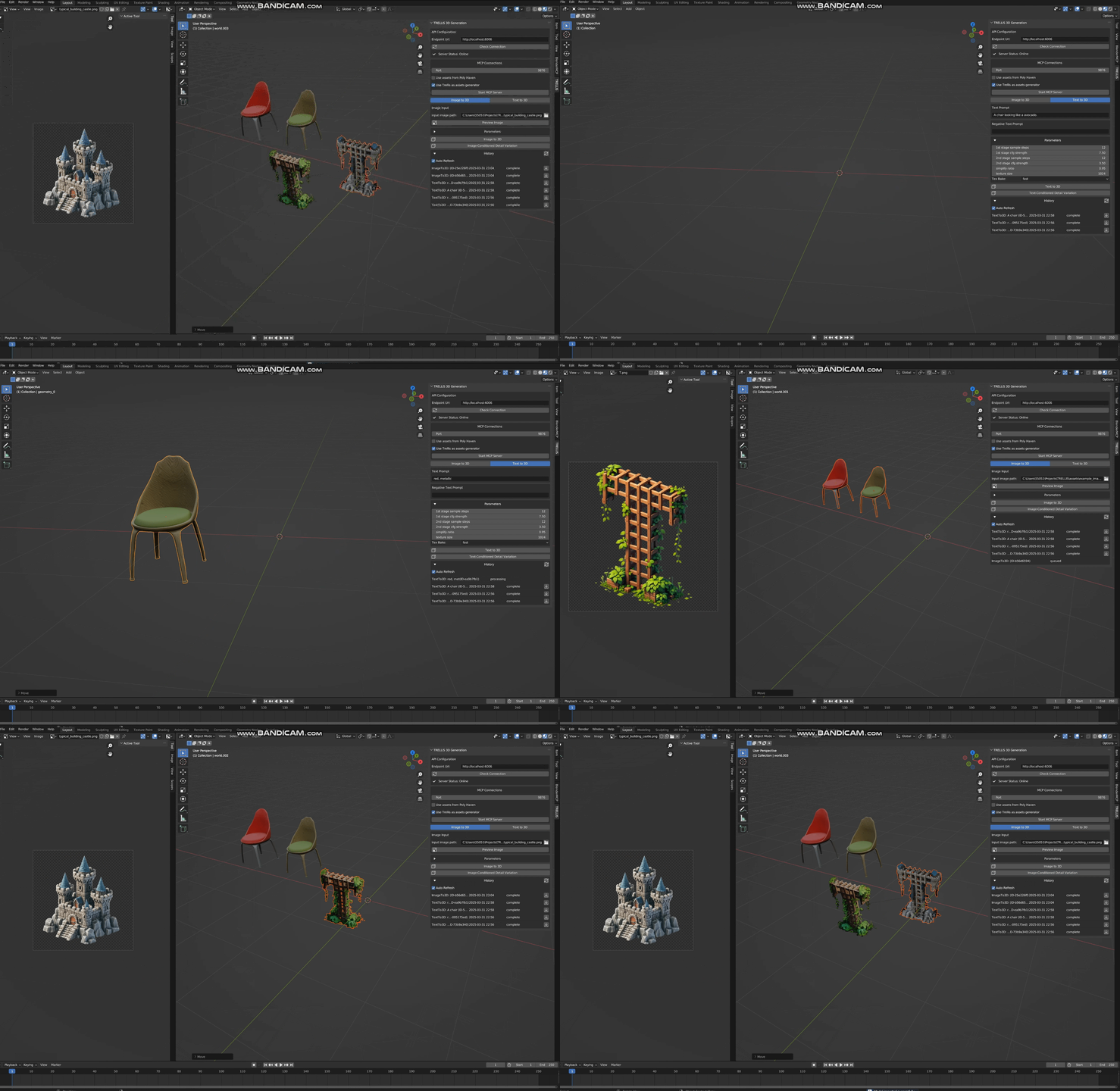
Features
TRELLIS
- Text-to-3D: native generation of textured 3D mesh from text
- Image-to-3D: native generation of textured 3D mesh from a single RGB image
- Text-conditioned Detail Variation: generating textures for a mesh given text
- Image-conditioned Detail Variation: generating textures for a mesh given a single RGB image
TRELLIS2
- Text-to-3D: generation of textured 3D mesh from text (t2i using z-image-turbo, and then image2mesh using trellis.2)
- Image-to-3D: native generation of textured 3D mesh from a single RGB image (native trellis.2)
MCP integration
Integrates with MCP and can communicate with Cursor/Windsurf. Refer to Trellis MCP
Installation
Requirements
- Blender 3.6.0 or higher
- [Option1] Running TRELLIS API server (Refer to my TreLLIS fork)
- [Option2] Running TRELLIS.2 API server (Refer to my TreLLIS.2 fork)
You can also start both servers and switch the backend in the blender addon.
Enable the plugin
- Download the plugin files (clone this repo)
- In Blender, go to Edit > Preferences > Add-ons
- Click "Install" and select the
trellis_for_blender.pyfile - Enable the addon by checking the box next to "3D View: TRELLIS"
Native Workflow
- Access the panel (open 3d viewport and press n to open sidebar), find TRELLIS.
- (Optionally) Select an object in the scene, select an image as conditional input.
- Adjust generation parameters (empirically can use fewer steps)
- The plugin will upload both the object(if selected) and the image/text to the API backend.
- When finished, the model can be downloaded and imported into the scene.
You can see the historical requests in the main panel
MCP Workflow
- Access the panel (open 3d viewport and press n to open sidebar), find TRELLIS, click
Start MCP Server - Open Claude/Cursor/Windsurf, paste following configuration:
"mcpServers": {
        "trellis": {
            "command": "uvx",
            "args": [
                "trellis-mcp"
            ]
        }
    }
Generation Parameters
- Sparse Structure Settings
- Sample Steps (sampling steps for structure diffusion, by default 12)
- CFG Strength (classifier-free-guidance, by default 7.5, higher value will better align the input image)
- Structured Latent Settings
- Sample Steps (sampling steps for SLAT diffusion, by default 12)
- CFG Strength (classifier-free-guidance, by default 7.5, higher value will better align the input image)
- Postprocessing Mesh Options
- Simplify Ratio (# of triangles to remove, by default 0.95)
- Texture Size (by default 1024, can set to 2048 for higher quality, but slower)
- Texture Bake Mode ('fast' or 'opt', 'opt' can be slow but has higher quality)
Any issue/discussion/contribution is welcomed!