Urlbox MCP Server
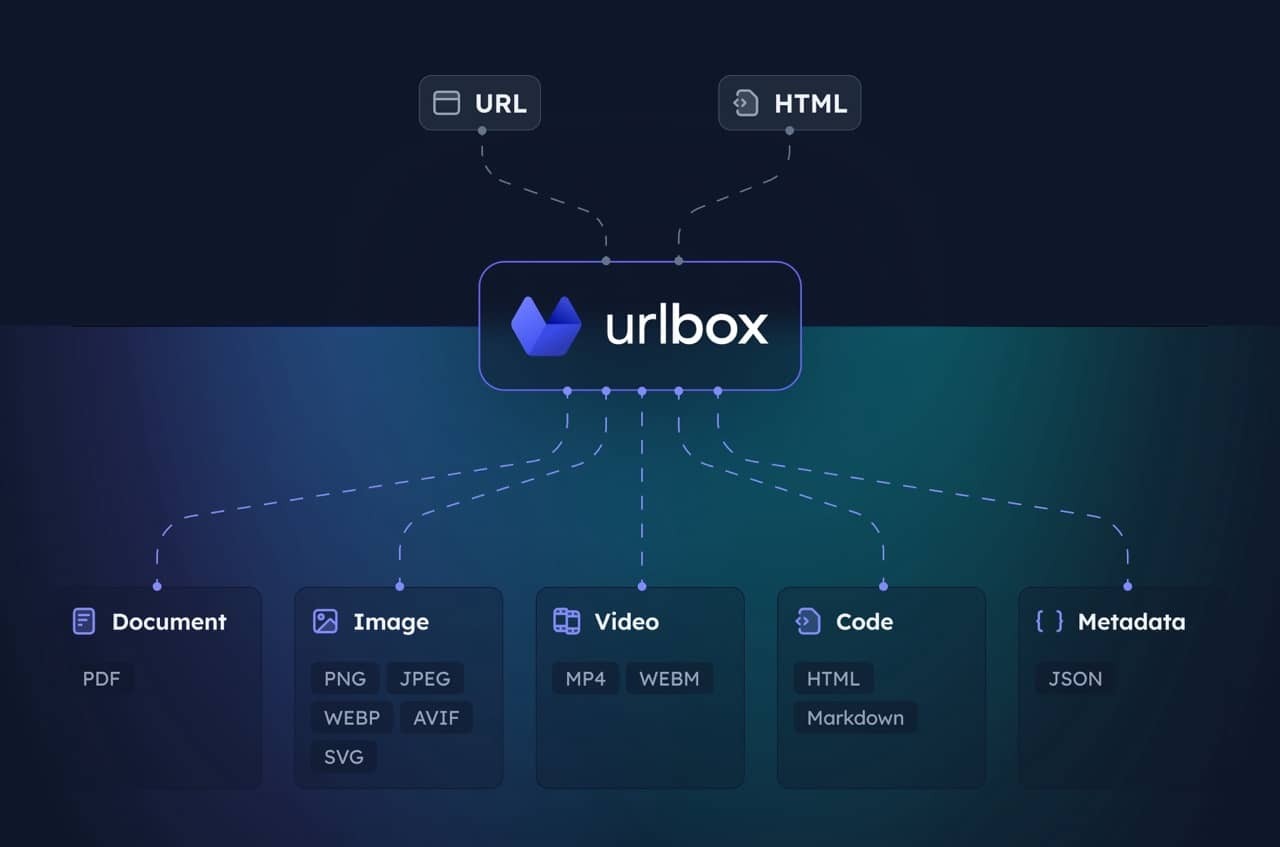
MCP server for the Urlbox Screenshot API. Enables your client to take screenshots, generate PDFs, extract HTML/markdown, and more from websites.
Visit Urlbox for more information, and have a read of our docs or chat with your LLM post install to get a good understanding of its options and capabilities.
Setup
-
Install dependencies and build:
npm install npm run build -
Get Urlbox API credentials:
- Sign up at urlbox.com
- Get your API Secret from the dashboard
-
Set environment variables:
claude_desktop_config.json
{
  "mcpServers": {
    "screenshot": {
      "command": "npx",
      "args": ["-y", "@urlbox/screenshot-mcp"],
      "env": {
        "SECRET_KEY": "your_api_key_here"
      }
    }
  }
}
Usage
The server provides a render tool that can:
- Take screenshots in multiple formats (PNG, PDF, MP4 and more)
- Convert pages to HTML, markdown
- Extract metadata and cookies
- Save files locally to your downloads with
store_renders: true
Claude will automatically use this when you ask it to screenshot websites or convert web content.
Useful prompts
Take a clean screenshot without ads or cookie banners:
Take a screenshot of https://example.com but block ads and hide cookie banners
Screenshot and save side renders like HTML/markdown:
Take a screenshot of https://example.com and also save it as HTML and markdown. Download the result to my computer.
Generate a PDF of the full page:
Convert https://urlbox.com to a PDF and save it to my computer. Make sure to generate a PDF that has an outline and is tagged.