
UserDispatch 





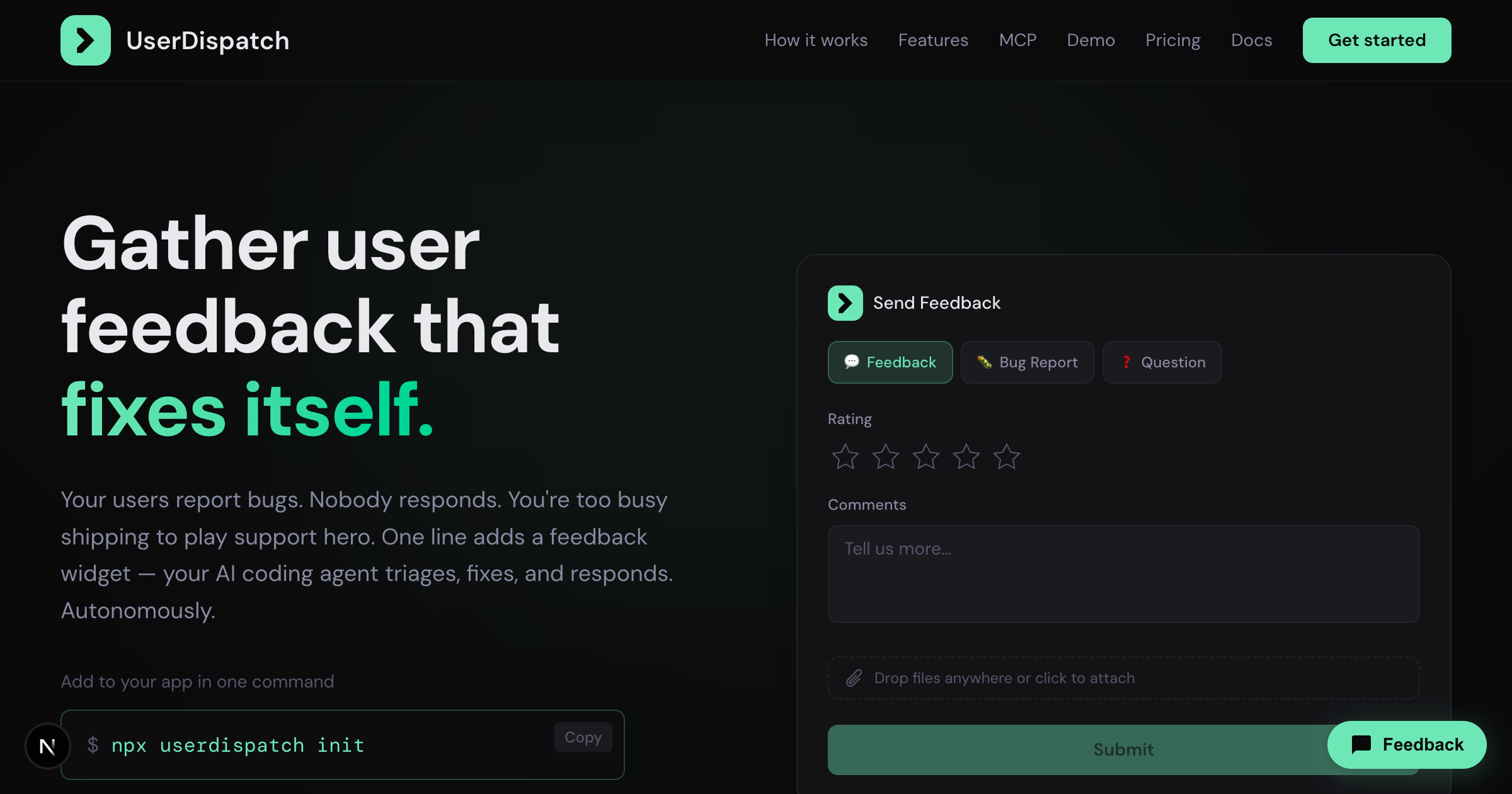
Add a feedback widget to any web app in one command.
Your AI coding agent triages feedback, drafts PRs, and responds to users — via MCP.
Quick start
npx userdispatch init
One command does everything:
- Installs a feedback widget in your app (auto-detects framework)
- Creates your org & app on userdispatch.com
- Configures your AI coding agent with the MCP server
- Sends a test submission to verify the full loop
Requires Node.js 18+. Full CLI reference: userdispatch.com/docs/cli
How it works
┌─────────────┐     ┌──────────────────┐     ┌─────────────────┐     ┌──────────────┐
│  1. User     │────▶│  2. Agent reads   │────▶│  3. Agent drafts │────▶│  4. Weekly    │
│  submits     │     │  via MCP          │     │  PRs, replies,   │     │  digest       │
│  feedback    │     │                   │     │  triage          │     │  summary      │
└─────────────┘     └──────────────────┘     └─────────────────┘     └──────────────┘
- User submits feedback — the widget captures feedback, bug reports, or questions with browser metadata and file attachments
- Agent reads via MCP — your coding agent pulls new submissions using the
list_submissionsandget_submissiontools - Agent proposes — triages issues, updates statuses, sends replies via email, and opens PRs informed by feedback patterns
- Weekly digest — the
weekly-digestprompt generates a 7-day summary of submissions, trends, and actions taken
Framework support
The CLI auto-detects your framework and injects the widget into the right file.
| Framework | Auto-detect | Widget injection |
|---|---|---|
| Next.js (App Router) | Yes | <Script> in app/layout.tsx |
| Next.js (Pages Router) | Yes | <script> in pages/_document.tsx |
| Vite | Yes | <script> in index.html |
| Create React App | Yes | <script> in public/index.html |
| Nuxt | Yes | Manual (nuxt.config.ts shown) |
| SvelteKit | Yes | <script> in src/app.html |
| Astro | Yes | Manual (instructions shown) |
| Static HTML | Yes | <script> in index.html |
Override with --framework <type>. Full guide: userdispatch.com/docs/widget
MCP server
UserDispatch hosts the MCP server at https://userdispatch.com/api/mcp. The CLI configures this automatically — or add it manually:
// .mcp.json (Claude Code, Cursor)
{
  "mcpServers": {
    "userdispatch": {
      "url": "https://userdispatch.com/api/mcp",
      "headers": {
        "Authorization": "Bearer ${USERDISPATCH_TOKEN}"
      }
    }
  }
}
Agent compatibility
| Agent | Config file | Auto-configured |
|---|---|---|
| Claude Code | .mcp.json | Yes |
| Cursor | .cursor/mcp.json | Yes |
| Windsurf | ~/.codeium/windsurf/mcp_config.json | Yes |
| VS Code Copilot | .vscode/mcp.json | Yes |
| Codex | .codex/config.toml | Yes |
| Claude Desktop | claude_desktop_config.json | Yes |
Tools (17)
| Tool | Description |
|---|---|
list_submissions | List submissions with filters (app, type, status, date, search) |
get_submission | Get full submission details with attachments and replies |
update_submission | Update submission status |
reply_to_submission | Send a reply via email or dashboard |
delete_submission | Permanently delete a submission |
list_apps | List all registered apps |
create_app | Create a new app |
update_app | Update app settings |
delete_app | Delete an app and all its submissions |
rotate_app_key | Rotate an app's API key |
get_stats | Get submission statistics |
get_org | Get organization details |
update_org | Update organization settings |
list_members | List all organization members |
invite_member | Invite a new member |
update_member | Update member settings or role |
remove_member | Remove a member |
Plus 5 resources and 2 prompts (triage-submissions, weekly-digest). Full MCP reference: userdispatch.com/docs/mcp
Widget customization
<script
  src="https://userdispatch.com/widget.js"
  data-api-key="pk_your-api-key"
  data-position="br"
  data-trigger-label="Feedback"
  data-collect-email="true"
  data-collect-name="false"
  data-enable-logs="false"
  defer
></script>
| Attribute | Required | Default | Description |
|---|---|---|---|
data-api-key | Yes | — | Your app's API key (starts with pk_) |
data-position | No | "br" | Trigger button position: "br", "bl", "tr", "tl" |
data-trigger-label | No | "Feedback" | Text on the trigger button |
data-collect-email | No | "true" | Show email field. Set to "false" to hide. |
data-collect-name | No | "false" | Show name field. Set to "true" to enable. |
data-enable-logs | No | "false" | Enable console log collector. Requires app-level setting. |
data-api-url | No | Auto-detected | Override the API base URL. |
The widget renders in a Shadow DOM for full style isolation. Under 30KB gzipped. Full reference: userdispatch.com/docs/widget
CLI reference
npx userdispatch init [flags]
| Flag | Description |
|---|---|
--token <token> | Skip browser auth and use this ud_ token directly. Auto-promotes to CI mode in non-TTY environments. |
--org <name> | Organization name (skips prompt). |
--app <name> | App name (skips prompt). Slug is auto-generated. |
--framework <type> | Override framework detection. Values: next-app, next-pages, vite, cra, nuxt, sveltekit, astro, static. |
--agent <id> | Override agent detection. Values: claude-code, cursor, windsurf, claude-desktop, vscode. |
--ci | Non-interactive mode. Skips all prompts, uses defaults or flag values. |
Full CLI docs: userdispatch.com/docs/cli
Security
UserDispatch is built with security at every layer — nonce-based CSP, SHA-256 hashed API tokens, PostgreSQL-backed rate limiting, Zod input validation, parameterized SQL, and constant-time token comparison. File uploads are validated by MIME type and magic bytes.
Full security architecture: userdispatch.com/docs/security
To report a vulnerability, email security@kiruna.ai. Please do not open public issues for security reports.
Pricing
Every tier includes the full MCP server, all 17 tools, and the feedback widget.
| Free | Pro | Team | Enterprise | |
|---|---|---|---|---|
| Price | $0 forever | $9/mo | $49/mo | Custom |
| Submissions/mo | 100 | 250 | 2,500 | Unlimited |
| Users | 1 | 1 | 5 | Unlimited |
| Apps | 2 | 10 | Unlimited | Unlimited |
| Data retention | 3 months | Unlimited | Unlimited | Unlimited |
| MCP server & 17 tools | Yes | Yes | Yes | Yes |
| Widget | Yes | Yes | Yes | Yes |
| Agent-sent emails | Yes | Yes | Yes | Yes |
| Log capture | Yes | Yes | Yes | Yes |
| Custom branding | — | Yes | Yes | Yes |
| Team roles | — | — | Yes | Yes |
| SSO | — | — | — | Yes |
Links
License
MIT — Kiruna Labs