
Video URL Analyzer MCP
MCP server to analyze YouTube, TikTok & Instagram videos from URL — transcripts, AI insights, tutorial extraction







What is This?
Video URL Analyzer MCP is a Model Context Protocol (MCP) server that lets Claude (or any MCP-compatible AI) analyze videos from YouTube, TikTok, and Instagram — just paste a URL. Powered by Google's Gemini API with full audio + visual analysis, it extracts transcripts, provides AI-powered insights, and can even extract executable tutorial steps.
Features
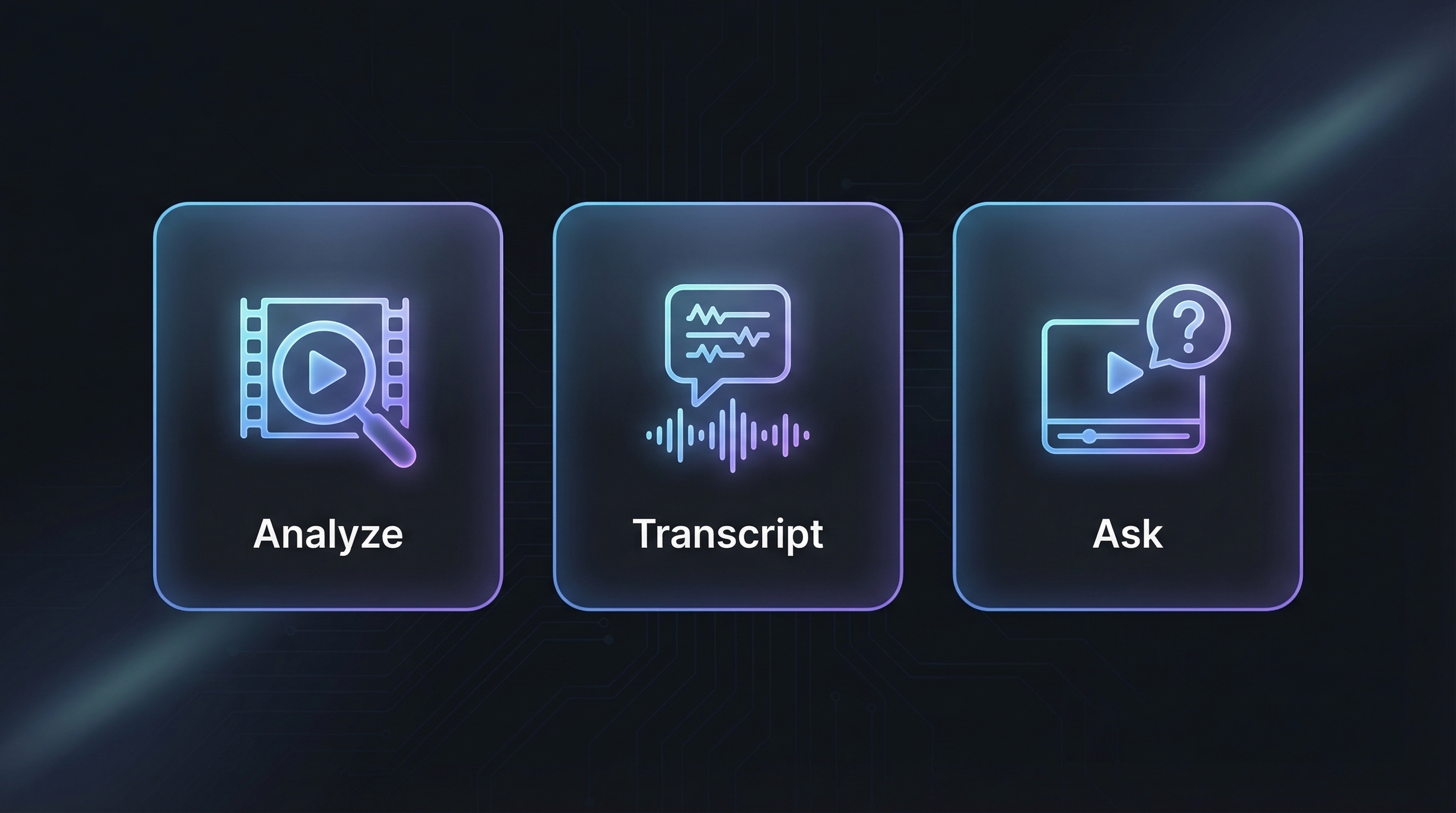
- YouTube Analysis — Direct analysis via Gemini API (no download needed)
- TikTok & Instagram — Async job pattern with yt-dlp download + Gemini Files API
- Full Audio + Visual — Analyzes both video frames AND audio/speech
- 6 Tools — analyze, transcript, Q&A, watch & analyze, execute tutorials, check jobs
- Bilingual — Supports Arabic and English prompts and responses
- Async Jobs — Background processing prevents Claude Desktop timeout crashes
- Security Hardened — URL allowlist, SSRF protection, command injection prevention, path traversal blocking
- Zero-Config Install —
uvx video-url-analyzer-mcpand you are running
Supported Platforms
| Platform | Method | Speed |
|---|---|---|
| YouTube | Direct Gemini analysis — no download needed | Instant |
| TikTok | tikwm.com API (fast) → yt-dlp fallback | ~8s |
| Page scrape via curl_cffi (fast) → yt-dlp fallback | ~10s |
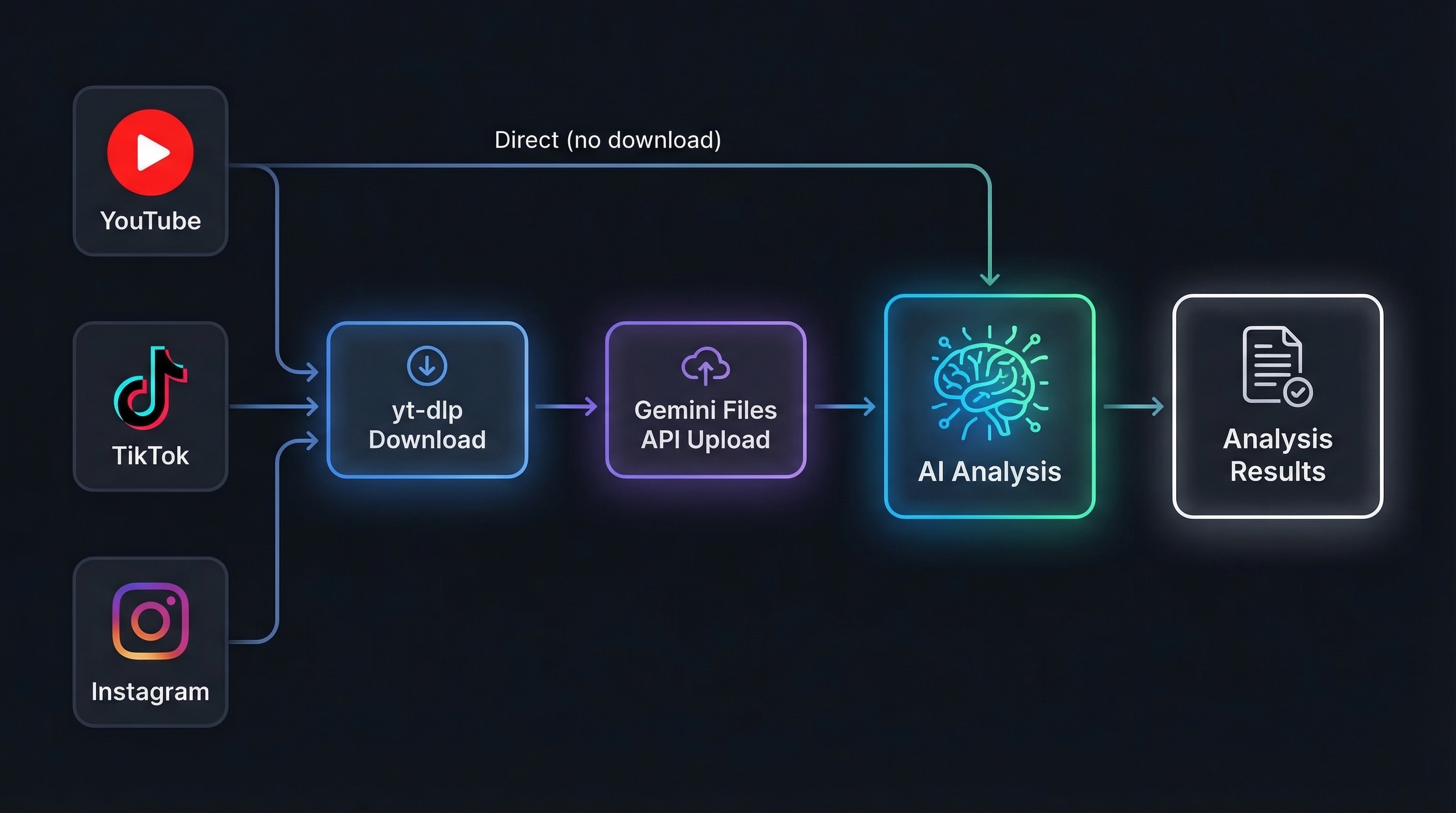
YouTube videos are analyzed directly through Gemini's native video understanding — zero download, zero upload, maximum speed.
Quick Start
Option 1: uvx (Recommended)
Requires uv.
Claude Desktop -- add to claude_desktop_config.json:
{
  "mcpServers": {
    "video-analyzer": {
      "command": "uvx",
      "args": ["video-url-analyzer-mcp"],
      "env": {
        "GEMINI_API_KEY": "your_key"
      }
    }
  }
}
Claude Code:
claude mcp add video-analyzer -s user -e GEMINI_API_KEY=your_key -- uvx video-url-analyzer-mcp
Cursor / VS Code -- add to .cursor/mcp.json or .vscode/mcp.json:
{
  "servers": {
    "video-analyzer": {
      "command": "uvx",
      "args": ["video-url-analyzer-mcp"],
      "env": { "GEMINI_API_KEY": "your_key" }
    }
  }
}
Windsurf -- add to ~/.codeium/windsurf/mcp_config.json:
{
  "mcpServers": {
    "video-analyzer": {
      "command": "uvx",
      "args": ["video-url-analyzer-mcp"],
      "env": { "GEMINI_API_KEY": "your_key" }
    }
  }
}
Option 2: pip install
pip install video-url-analyzer-mcp
Option 3: From source
git clone https://github.com/u2n4/video-url-analyzer-mcp.git
cd video-url-analyzer-mcp
pip install -e .
Tools
| Tool | What it does |
|---|---|
analyze_video | Full audio + visual analysis with custom prompts. Uses Gemini for state-of-the-art multimodal understanding. |
get_transcript | Extract timestamped transcript with speaker identification. Supports 100+ languages via auto-detection. |
ask_about_video | Ask any question — "How many people appear?", "What brand is shown at 0:45?", "Summarize the main argument." |
watch_and_analyze | Extract tutorial steps, shell commands, code snippets, and file paths from technical videos. |
execute_tutorial_steps | Review extracted steps safely, then execute with confirmation. Sandboxed with command & path validation. |
check_analysis_job | Poll background job status for TikTok/Instagram async downloads. |
How It Works
YouTube — Synchronous: URL is sent directly to Gemini API for instant analysis (no download).
TikTok & Instagram — Asynchronous: Video is downloaded via yt-dlp, uploaded to Gemini Files API, analyzed, then cleaned up. Returns a job_id immediately — poll with check_analysis_job.
Usage Examples
# Full video analysis
analyze_video("https://www.youtube.com/watch?v=dQw4w9WgXcQ")

# Custom analysis prompt
analyze_video("https://www.tiktok.com/@user/video/123",
              prompt="List every product shown and estimate prices")

# Multilingual transcript extraction
get_transcript("https://www.instagram.com/reel/ABC123/", lang="ar")

# Ask specific questions about video content
ask_about_video("https://youtu.be/abc",
                question="What programming language is used in the tutorial?")

# Watch & build — extract tutorial steps
watch_and_analyze("https://www.youtube.com/watch?v=tutorial123")
Architecture
| Component | Role |
|---|---|
| Gemini API | Multimodal model — full audio + visual understanding in a single pass |
| FastMCP 3.x | MCP protocol framework over stdio transport |
| yt-dlp + curl_cffi | Video download with Chrome browser impersonation to bypass anti-bot |
| tikwm.com API | TikTok fast-path fallback when yt-dlp is WAF-blocked |
| Background Jobs | Async threading for TikTok/Instagram to prevent Claude Desktop timeouts |
video-url-analyzer-mcp/
├── pyproject.toml                    # Package metadata & dependencies
├── src/
│   └── video_url_analyzer_mcp/
│       ├── __init__.py               # Package init + version
│       ├── __main__.py               # python -m support
│       └── server.py                 # Main MCP server (all 6 tools)
├── .env.example                      # Environment variable template
├── llms.txt                          # AI-readable project summary
├── llms-install.md                   # AI-readable install guide
├── CONTRIBUTING.md
├── CHANGELOG.md
└── LICENSE
Platform Detection
URLs are automatically routed to the correct pipeline:
- YouTube:
youtube.com,youtu.be,youtube.com/shorts/ - TikTok:
tiktok.com,vm.tiktok.com,vt.tiktok.com - Instagram:
instagram.com/reels/,instagram.com/reel/,instagram.com/p/
Security
This server has been hardened against a comprehensive threat model:
| Layer | Protection |
|---|---|
| SSRF | URL allowlist — only YouTube, TikTok, Instagram domains accepted. Private IPs, localhost, file:// blocked. |
| Command Injection | shell=False + shlex.split(). Dangerous command blocklist (rm -rf, reverse shells, eval, pipe-to-shell). |
| Path Traversal | 25+ sensitive path patterns blocked (.ssh, .aws, .env, system dirs, AppData). |
| TLS | Full certificate validation on all downloads. |
| Browser Cookies | Opt-in only via VIDEO_ANALYZER_COOKIES=true. Disabled by default. |
| Download Size | Hard limit of 100 MB per video. |
| DoS Protection | Max 10 concurrent background jobs. Auto-expiry after 1 hour. Storage cap of 200 analyses. |
| Schema Validation | Gemini JSON responses validated before execution. Response size capped at 500K chars. |
| Dependencies | All versions pinned in pyproject.toml. |
Configuration
| Variable | Description | Default |
|---|---|---|
GEMINI_API_KEY | Google Gemini API key (required) | — |
ANALYSES_DIR | Directory to store analysis results | ./analyses |
VIDEO_ANALYZER_COOKIES | Enable browser cookies for yt-dlp | false |
Tech Stack
| Technology | Purpose |
|---|---|
| google-genai | Google Gemini API SDK |
| FastMCP | MCP protocol framework |
| yt-dlp | Video downloader |
| curl_cffi | Browser impersonation (TLS fingerprint) |
| python-dotenv | Environment variable loading |
Troubleshooting
| Issue | Solution |
|---|---|
GEMINI_API_KEY not set | Create .env file or pass via environment variable |
| TikTok download fails | tikwm.com fallback activates automatically. Ensure curl_cffi is installed. |
| Instagram download fails | pip install curl_cffi for browser impersonation support |
ENOENT on Windows | Use uvx video-url-analyzer-mcp as the command |
| Claude Desktop timeout | TikTok/Instagram run in background — use check_analysis_job(job_id) to poll |
| Python not found | Install Python 3.10+ from python.org |
Contributing
See CONTRIBUTING.md for guidelines.
License
MIT — see LICENSE.
Support
If you find this useful, please star this repository!
Made with ❤️ in the Eastern Province of Saudi Arabia.
العربية
خادم تحليل الفيديو بالذكاء الاصطناعي
خادم MCP لتحليل الفيديو باستخدام Google Gemini — احدث واقوى نموذج ذكاء اصطناعي متعدد الوسائط من جوجل.
المميزات
| الاداة | الوصف |
|---|---|
analyze_video | تحليل شامل للصوت والصورة مع دعم الاوامر المخصصة |
get_transcript | استخراج النص المنطوق مع الطوابع الزمنية — يدعم +100 لغة |
ask_about_video | اسال اي سؤال عن محتوى الفيديو |
watch_and_analyze | استخراج خطوات الشروحات التقنية والاوامر والاكواد |
execute_tutorial_steps | مراجعة وتنفيذ الخطوات المستخرجة بامان |
المنصات المدعومة
| المنصة | السرعة |
|---|---|
| يوتيوب | فوري — تحليل مباشر بدون تحميل |
| تيك توك | ~8 ثواني — واجهة tikwm.com السريعة |
| انستاجرام | ~10 ثواني — استخراج مباشر من الصفحة |
التثبيت السريع
git clone https://github.com/u2n4/video-url-analyzer-mcp.git
cd video-url-analyzer-mcp
pip install -e .
الامان
الخادم محمي ضد:
- SSRF — قائمة بيضاء للنطاقات المسموحة فقط
- حقن الاوامر — حظر الاوامر الخطيرة + تنفيذ بدون shell
- اختراق المسارات — حظر 25+ مسار حساس
- حماية من الحمل الزائد — حد اقصى 10 مهام متزامنة
الحصول على مفتاح API
- اذهب الى Google AI Studio
- انشئ مفتاح API مجاني
- ضعه في ملف
.env