Wemo Ops Center
Welcome to Wemo Ops. We offer three ways to manage your smart home, depending on your needs. You can run the Desktop App for instant control on your workstation, deploy the Server for always-on automation, or use the MCP Server for AI assistant integration.
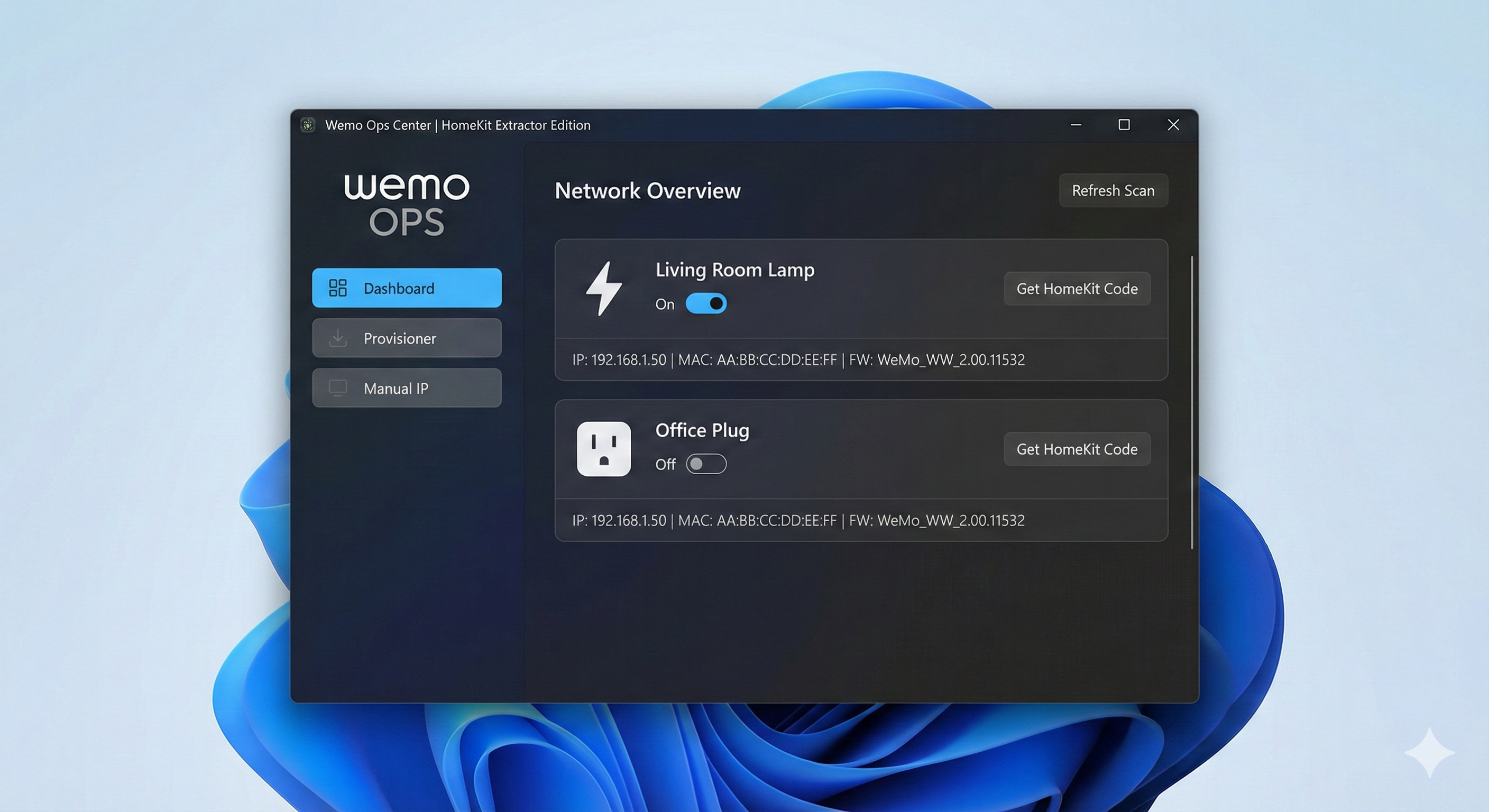




Resurrect your hardware. The Wemo Cloud is dead, but your devices don't have to be.
Wemo Ops Center is a completely local, offline provisioning and automation suite for Belkin Wemo devices. It allows you to setup, control, automate, and factory reset Wemo plugs and switches without needing the official app or a cloud account.
- Alternative to official Wemo App
- Provision Wemo Devices with Python
- Belkin Wemo local control setup
- Wemo troubleshooting and Wi-Fi profision
🚀 Choose Your Edition
| Feature | 🖥️ Desktop App (GUI) | ⚙️ Server App (Headless) | 🤖 MCP Server (AI) |
|---|---|---|---|
| Best For | Casual users, quick toggling, setup | Power users, Home Labs, 24/7 automation | AI assistant users, MCP developers |
| Interface | Native Window (Python/Tkinter) | Web Dashboard (Browser-based) | AI Assistant (Natural language) |
| Running State | Runs only when open | Runs 24/7 as a background service | Launched on-demand by AI |
| OS Support | Linux (Fedora/Ubuntu), Windows | Linux Server, Raspberry Pi, Docker | Python 3.10+ (Any OS) |
| Installation | Download from Releases | dnf/apt install or Docker | pip install wemo-mcp-server |
| Version | v5.2.3 | v5.2.3 | v1.0.0 (Stable) |
| Key Benefit | Zero Setup. Just launch and click. | Set & Forget. Automation never stops. | Universal Protocol. Works with any MCP host. |
Wemo Ops Center (Desktop)
📥 Download & Run
No Python installation required.
- Download: Go to the Releases Page and download.
- Provisioner Follow the on-screen instructions to scan for and configure your Wemo devices.
- Dashboard Scan Network, Control Devices, and Rename Devices. IP, MAC, FW ver, SN, and HomeKit code are displayed.
⚠️ "Windows protected your PC" Warning
When you launch WemoOps.exe for the first time, you may see a blue warning from Microsoft Defender SmartScreen.
This is normal. Because this is a free, open-source tool created by an independent developer, it does not have a paid digital signature (which costs hundreds of dollars a year).
To run the app:
- Click More info.
- Click Run anyway. The complete control plane for Belkin Wemo devices.
Screenshots of the Wemo Ops Center Desktop App
| Light Mode | Dark Mode |
|---|---|
Screenshots of the Wemo Ops Mobile App
| Light Mode | Dark Mode |
|---|---|
Go to the Releases Page and download.
🚀 Key Features (v5.2.3)
1. 📡 Universal Provisioner
- No Cloud Required: Connect directly to a new or reset Wemo device's Wi-Fi (
Wemo.Mini.xxx) and push your Wi-Fi credentials instantly. - Smart Encryption Loop: Automatically detects and applies the correct encryption method (old vs. new firmware) to ensure successful setup.
- Profile Manager: Save your Wi-Fi SSID and Password to quickly provision multiple devices in seconds.
2. 🎛️ Network Dashboard & VLAN Support
- Scan Network: Deep scans your local network to find provisioned devices.
- VLAN/Subnet Support: Perfect for IoT setups. You can scan multiple subnets by entering them in a comma-separated list (e.g.,
192.168.1.0/24, 10.0.0.0/24). - Smart Deduplication: Tracks devices by MAC address to prevent ghost entries when IP addresses change.
- Direct Connect: Manually add a device by IP address if SSDP discovery fails.
3. 🛠️ Maintenance Tools (New)
Advanced tools to manage device health directly from the app:
- Clear Personal Info: Removes custom names, icons, and rules.
- Clear Wi-Fi: Wipes network credentials to return the device to "Setup Mode" (Flashing Amber/Blue).
- Factory Reset: Performs a full "Out of Box" wipe.
4. ☀️ Solar Automation Scheduler
- Local Automation: Runs on your computer as a background service.
- Solar Engine: Automatically detects your latitude/longitude to trigger lights at Sunrise or Sunset.
- Fixed Schedules: Set standard time-based schedules (e.g., "Turn ON at 18:00").
5. Mobile Web App
- Scan the QR Code: connect to the mobile web app with your phone or tablet and control your Wemo devices.
- Local Control: The app runs on your local network and connects directly to Wemo devices without the cloud.
- Manage Schedules: Manage schedules from the mobile web app, solar automation, or time-based schedules.
⚠️ Disclaimer
This project is an independent open-source tool and is not affiliated with, endorsed by, or associated with Belkin International, Inc. "Wemo" is a trademark of Belkin International, Inc.
🖥️ Option 1: The Desktop App
(Recommended for most users)
- Wemo Ops Center (Desktop) is a native application that lives on your computer. It allows you to scan your network, toggle devices on/off instantly, and manage device firmware without needing a dedicated server.
Why use this?
-
Instant Control: No web browser needed; just open the app.
-
Portable: Run it on your laptop and control devices wherever you are on the network.
-
Visual Setup: Easy-to-use interface for renaming and configuring devices.
-
Multi-Platform Support: run the app on Windows, macOS, Linux, or Docker.
📦 Installation (Linux):
sudo dnf install wemo-ops # Fedora / Rocky
OR
sudo apt install wemo-ops # Ubuntu / Debian
⚙️ Option 2: The Automation Server
(For Homelabs & Always-On Automation)
Wemo Ops Server is a lightweight, headless service designed to run on a Raspberry Pi, VM, or Home Server. It provides a Web UI accessible from any device on your network and executes automation schedules even when your computer is turned off.
Supported deployments:
- RHEL/Rocky/Fedora Wemo Ops Server Wiki Page
- Debian/Ubuntu Wemo Ops Server Wiki Page
- Docker (see code section universal-server )
Visit the Wemo Ops Server wiki page Wemo Ops Server Wiki Page
| Dashboard | Settings |
|---|---|
| Automation Time | Automation Sunrise/Sunset |
Why use this?
-
24/7 Reliability: Your automation schedules (e.g., "Lights on at sunset") run even if your laptop is asleep.
-
Any Device Access: Control your home from your phone, tablet, or another PC via the Web Dashboard.
-
Low Resource Usage: Optimized to run silently in the background.
📦 Installation (Linux):
sudo dnf install wemo-ops-server # Fedora / Rocky
OR
sudo apt install wemo-ops-server # Ubuntu / Debian
Installation instructions for Wemo Ops Server
Debian/Ubuntu or RHEL/Rocky/Fedora Instructions on the Wiki Page:
- Visit the Wemo Ops Server wiki page Wemo Ops Server Wiki Page
🤖 Option 3: MCP Server
(For AI Assistant Integration)


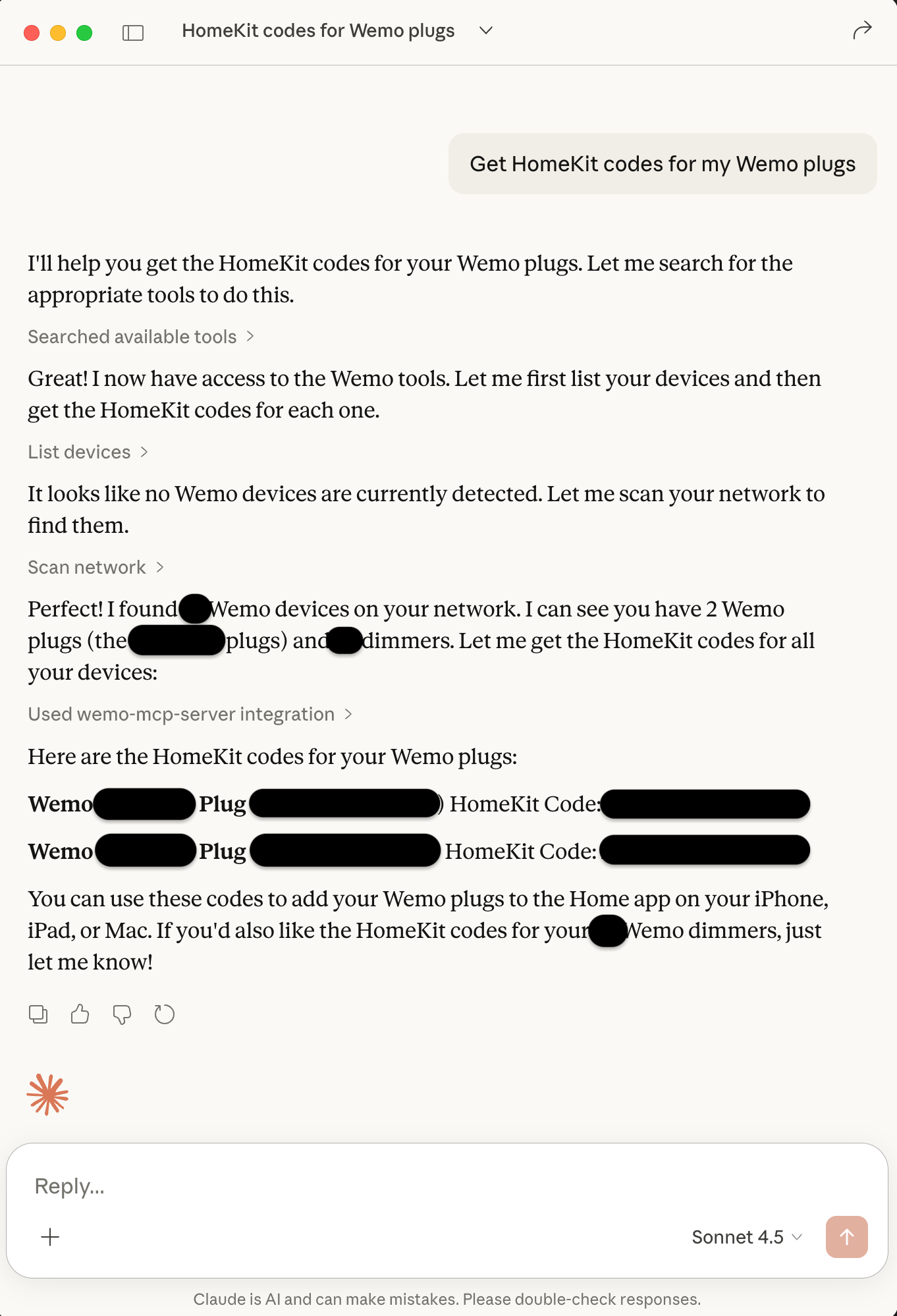
The WeMo MCP Server (v1.0.0) enables natural language control of your WeMo devices through any application that supports the Model Context Protocol (MCP). Works with AI assistants like Claude Desktop, VS Code with GitHub Copilot, Cursor, and other MCP-compatible tools.
Why use this?
-
Talk to Your Devices: Just say "Turn on the office light" or "What devices are on my network?"
-
No GUI Needed: Control everything through your AI assistant conversations.
-
Universal Protocol: Works with any MCP host application, not limited to specific tools.
-
Production Ready: v1.0.0 stable release with comprehensive documentation.
See the Wemo MCP Server Documentation for full setup and features.
🤝 Better Together: The Hybrid Approach
"Can I use multiple options?" Yes! All three work together seamlessly.
-
Use the Server to handle the "boring stuff"—keeping schedules running, monitoring device health, and providing a dashboard for your phone.
-
Use the Desktop App on your workstation for rapid control while you work, or for deep configuration tasks like firmware updates or bulk provisioning.
-
Use the MCP Server with your AI assistant for quick natural language queries and control during development or daily work.
-
All applications can run on the same network and control the same devices simultaneously without conflict.