WhatsApp MCP Extended
An extended Model Context Protocol (MCP) server for WhatsApp with 41 tools - advanced messaging, group management, webhooks, presence, and more.
Built on AdamRussak/whatsapp-mcp (webhooks, containers) which forked lharries/whatsapp-mcp (original). Extended with reactions, message editing, polls, group management, presence, newsletters, and more.
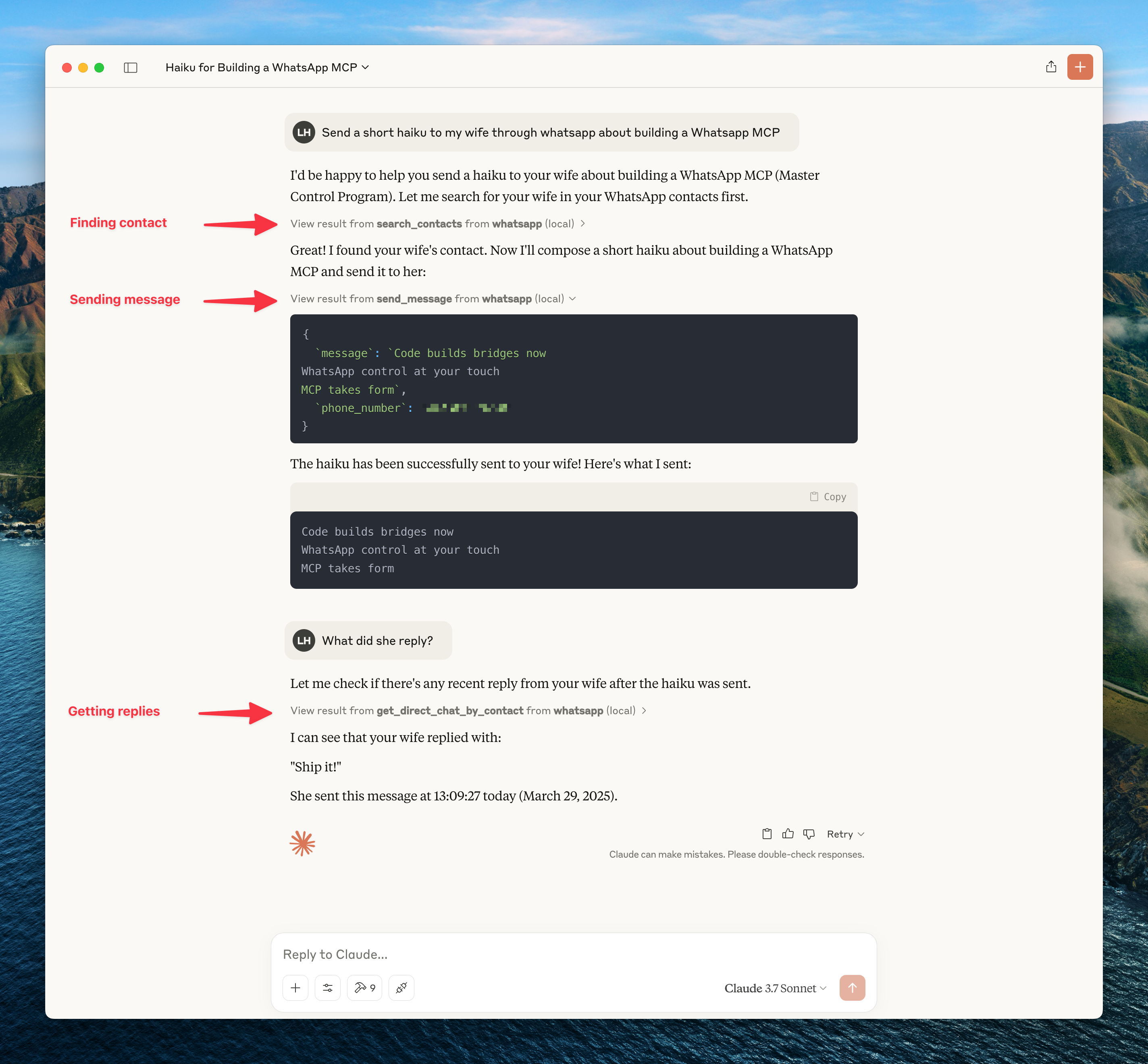
What's New (vs Original)
| Feature | Original | Extended |
|---|---|---|
| MCP Tools | 12 | 41 |
| Reactions | - | ✅ |
| Edit/Delete Messages | - | ✅ |
| Group Management | - | ✅ |
| Polls | - | ✅ |
| History Sync | - | ✅ |
| Presence/Online Status | - | ✅ |
| Newsletters | - | ✅ |
| Webhooks | - | ✅ |
| Custom Nicknames | - | ✅ |
Architecture
┌─────────────────────┐     ┌─────────────────────┐     ┌─────────────────────┐
│   whatsapp-bridge   │     │   whatsapp-mcp      │     │    webhook-ui       │
│   (Go + whatsmeow)  │◄────│   (Python + MCP)    │     │   (HTML/JS SPA)     │
│   Port: 8080        │     │   Ports: 8081,8082  │     │   Port: 8089        │
└─────────────────────┘     └─────────────────────┘     └─────────────────────┘
         │                           │
         ▼                           ▼
    ┌─────────────────────────────────────┐
    │           SQLite (store/)           │
    │  messages.db │ whatsapp.db          │
    └─────────────────────────────────────┘
Quick Start
Docker (Recommended)
git clone https://github.com/felixisaac/whatsapp-mcp-extended
cd whatsapp-mcp-extended

docker network create n8n_n8n_traefik_network
docker-compose up -d

# Scan QR code to authenticate
docker-compose logs -f whatsapp-bridge
Claude Desktop / Cursor Integration
Add to your MCP config (claude_desktop_config.json or Cursor settings):
{
  "mcpServers": {
    "whatsapp": {
      "command": "uv",
      "args": ["run", "--directory", "/path/to/whatsapp-mcp-extended/whatsapp-mcp-server", "python", "main.py"]
    }
  }
}
MCP Tools (41 Total)
Messaging
| Tool | Description |
|---|---|
send_message | Send text message |
send_file | Send image/video/document |
send_audio_message | Send voice message |
download_media | Download received media |
send_reaction | React to message with emoji |
edit_message | Edit sent message |
delete_message | Delete/revoke message |
mark_read | Mark messages as read (blue ticks) |
Chats & Messages
| Tool | Description |
|---|---|
list_chats | List all chats |
get_chat | Get chat by JID |
list_messages | Search messages with filters |
get_message_context | Get messages around a specific message |
get_direct_chat_by_contact | Find DM with contact |
get_contact_chats | All chats involving contact |
get_last_interaction | Most recent message with contact |
request_history | Request older message history |
Contacts
| Tool | Description |
|---|---|
search_contacts | Search by name/phone |
list_all_contacts | List all contacts |
get_contact_details | Full contact info |
set_nickname | Set custom nickname |
get_nickname | Get custom nickname |
remove_nickname | Remove nickname |
list_nicknames | List all nicknames |
Groups
| Tool | Description |
|---|---|
get_group_info | Group metadata & participants |
create_group | Create new group |
add_group_members | Add members |
remove_group_members | Remove members |
promote_to_admin | Promote to admin |
demote_admin | Demote admin |
leave_group | Leave group |
update_group | Update name/topic |
create_poll | Create poll in chat |
Presence & Profile
| Tool | Description |
|---|---|
set_presence | Set online/offline status |
subscribe_presence | Subscribe to contact's presence |
get_profile_picture | Get profile picture URL |
get_blocklist | List blocked users |
block_user | Block user |
unblock_user | Unblock user |
Newsletters (Channels)
| Tool | Description |
|---|---|
follow_newsletter | Follow channel |
unfollow_newsletter | Unfollow channel |
create_newsletter | Create new channel |
Webhook System
Real-time HTTP webhooks for incoming messages with:
- Triggers: all, chat_jid, sender, keyword, media_type
- Matching: exact, contains, regex
- Security: HMAC-SHA256 signatures
- Retry: Exponential backoff
Access webhook UI at http://localhost:8089
Development
Manual Setup
# Bridge (Go 1.24+)
cd whatsapp-bridge && go run main.go

# MCP Server (Python 3.11+)
cd whatsapp-mcp-server && uv sync && uv run python main.py

# Webhook UI
cd whatsapp-webhook-ui && python3 -m http.server 8089
Pre-build Checks
cd whatsapp-mcp-server
uv run python check.py  # Catches errors before docker build
Updating whatsmeow
When you see Client outdated (405) errors:
cd whatsapp-bridge
go get -u go.mau.fi/whatsmeow@latest
go mod tidy
docker-compose build whatsapp-bridge
docker-compose up -d whatsapp-bridge
Ports
| Service | Port | Description |
|---|---|---|
| Bridge API | 8080 (→8180) | REST API |
| MCP Server | 8081 | SSE transport |
| Gradio UI | 8082 | Web testing UI |
| Webhook UI | 8089 | Webhook management |
Troubleshooting
Messages Not Delivering
If API returns success but messages show single checkmark:
docker-compose restart whatsapp-bridge
docker-compose logs --tail=10 whatsapp-bridge
# Should see: "✓ Connected to WhatsApp!"
QR Code Issues
docker-compose logs -f whatsapp-bridge
# Scan QR with WhatsApp mobile app
Credits
Fork chain:
- lharries/whatsapp-mcp - Original MCP server (12 tools)
- AdamRussak/whatsapp-mcp - Added webhooks, container split, webhook UI
- This repo - Added reactions, edit/delete, groups, polls, presence, newsletters (41 tools)
Libraries:
License
MIT License - see LICENSE file.